flight timer
Flight Timer: Track Hours, Stay Legal & Current in 2026
21 Aug 2026 · 12 min read
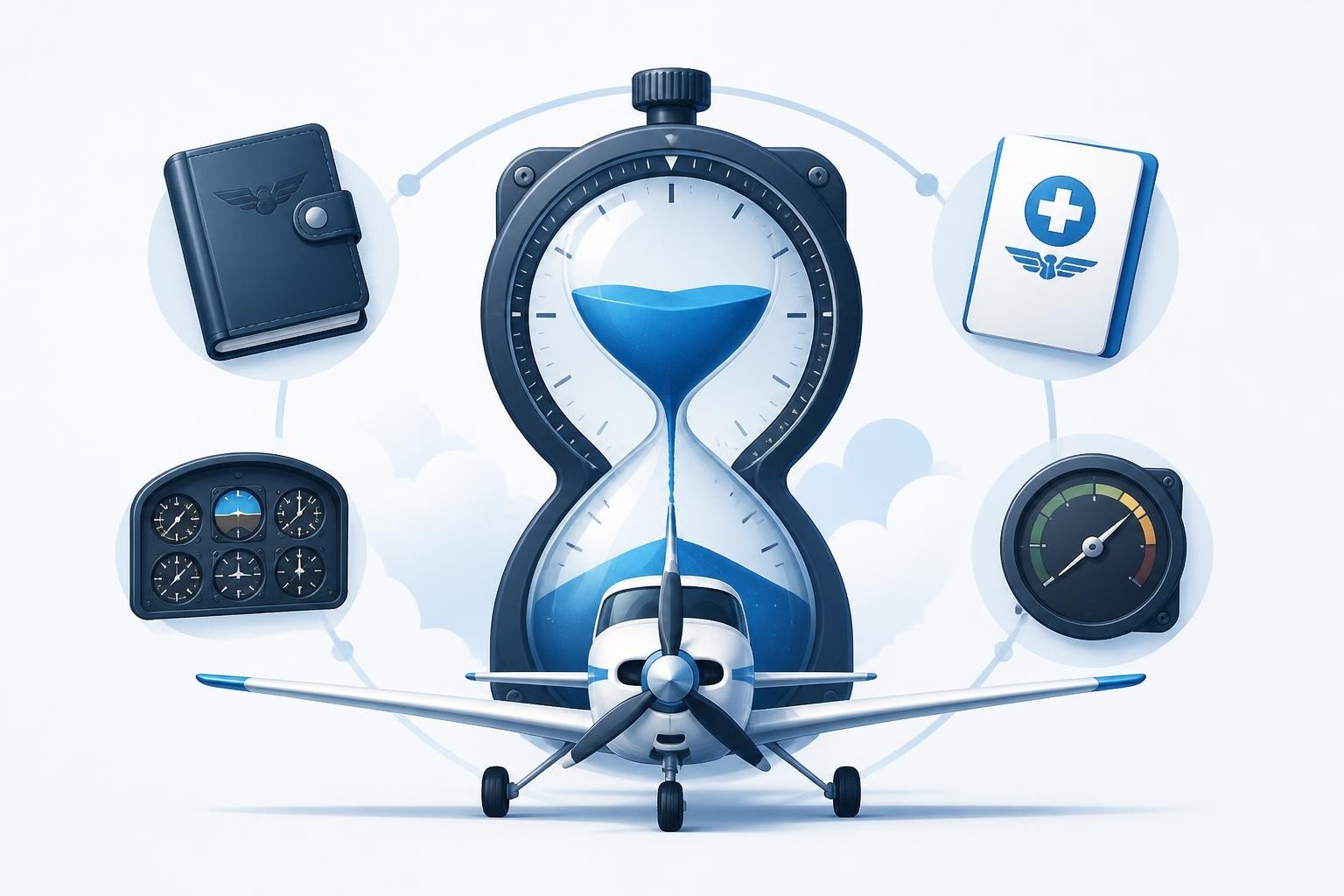
A flight timer measures the duration of flight time for logbook entries, regulatory compliance, and currency tracking. It starts when the aircraft first moves under its own power and stops when it comes to rest after landing, capturing the block-to-block time pilots need for accurate records and legal flight and duty limits. Digital and mechanical timers have become essential tools for pilots tracking hours toward licences, monitoring rolling duty periods, and proving currency for passengers, night operations, and instrument approaches.
What Is Flight Time and Why It Matters
Flight time under 14 CFR § 1.1 begins when an aircraft moves under its own power for the purpose of flight and ends when it comes to rest after landing. This block-to-block definition underpins every logbook entry, every currency check, and every regulatory limit pilots face. A flight timer captures this interval with precision, whether you're building hours toward an ATPL or proving you've met the three takeoffs and landings in 90 days for passenger carriage under FAA regulations.
EASA defines flight time similarly in Part-FCL, and both frameworks rely on accurate timing to enforce flight and duty time limitations. Without a reliable flight timer, you risk logging incorrect hours, missing currency deadlines, or unknowingly exceeding duty limits.
How Flight Timers Support Compliance
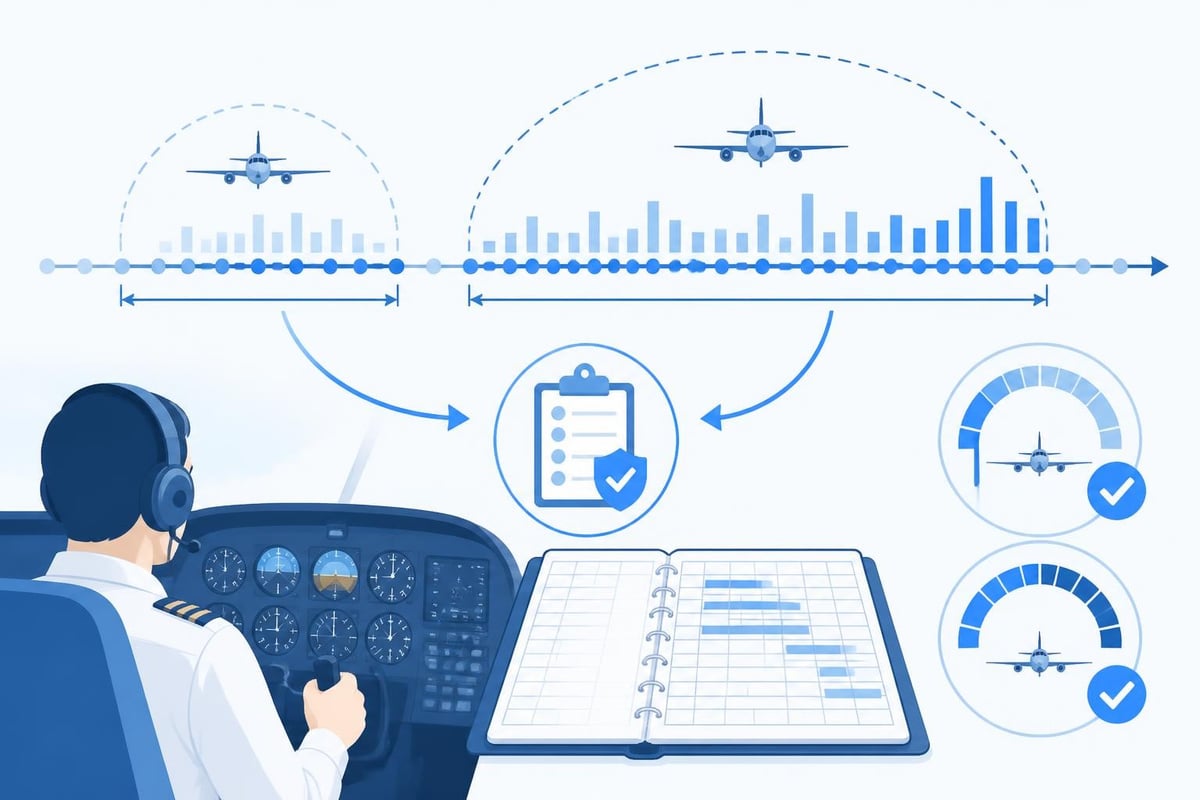
Regulatory frameworks around the world impose strict limits on flight time and duty periods to manage fatigue. 14 CFR Part 117 in the United States sets rolling 28-day and 365-day limits for commercial crew, while EASA's ORO.FTL rules govern European operators. A flight timer feeds into these calculations, providing the raw data pilots and operators use to track cumulative hours.
For example, Part 117 limits commercial pilots to 100 flight hours in any 672 consecutive hours (28 days) and 1,000 hours in any 365 consecutive days. Missing one flight in your count can throw off your rolling totals and leave you non-compliant. A digital flight timer that automatically aggregates your hours eliminates manual arithmetic and flags when you approach regulatory ceilings.
Types of Flight Timers Pilots Use
Pilots rely on several timing methods, each suited to different workflows and cockpit environments.
Mechanical Stopwatches and Panel Timers
Many aircraft have built-in Hobbs meters or panel-mounted timers that tick from engine start to shutdown. These are simple, reliable, and require no battery. A Hobbs meter advances whenever the master switch is on or the engine runs, providing an objective record often used for billing and maintenance. Pilots cross-reference Hobbs time with logbook entries to confirm block time.
Standalone stopwatches remain popular in GA cockpits. You press start at the first movement, stop when you park, and jot the time in your logbook. The downside is manual transfer and the risk of forgetting to start or stop the timer mid-flight.
Digital Timers and Apps
Smartphone apps and dedicated aviation timers have transformed how pilots track flight time. Digital timers can start automatically via GPS movement detection, log multiple legs in sequence, and sync directly to a digital pilot logbook. This automation reduces workload and ensures every minute from pushback to parking is captured.
Many pilots now use tablet-based EFB apps that include a flight timer tied to navigation and performance tools. When you file a flight plan or activate a route, the timer begins, and when you land, it stops and prompts you to confirm the block time before saving the entry.
| Timer Type | Pros | Cons |
|---|---|---|
| Hobbs meter | Automatic, tamper-resistant | Aircraft-specific, not portable |
| Mechanical stopwatch | No batteries, simple | Manual start/stop, transcription |
| Smartphone app | GPS auto-start, logbook integration | Battery dependent, signal needed |
| Panel digital timer | Cockpit-mounted, always visible | Installation cost, limited data |
Flight Management and Logbook Integration
Modern flight timers often integrate with electronic logbooks, automatically populating departure and arrival times, block time, and even route details. Instead of scribbling times on your kneeboard and later transferring them to paper or spreadsheet, you land, confirm the timer's reading, and the entry is saved with one tap.
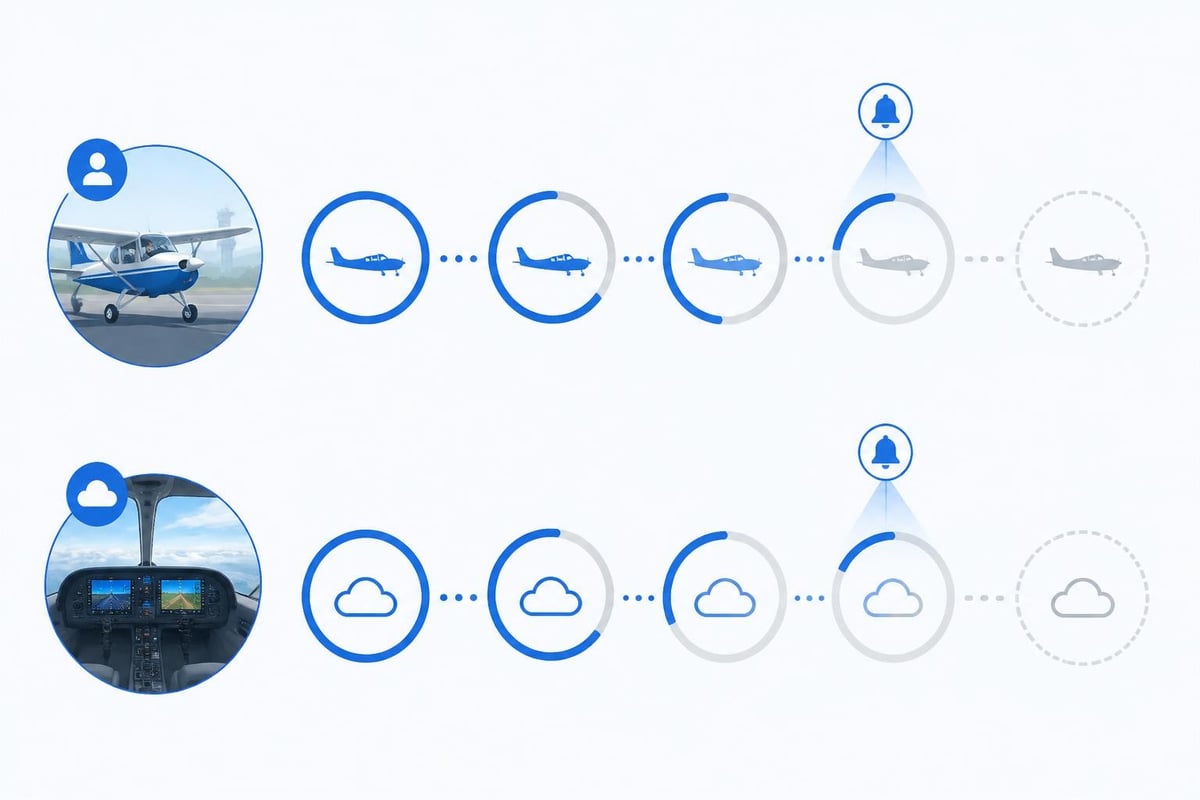
This integration extends to tracking currency. If your logbook knows you flew 1.4 hours at night and logged two landings, it updates your rolling night currency countdown. When you fall below the three takeoffs and landings in 90 days, you receive an alert before your next passenger flight.
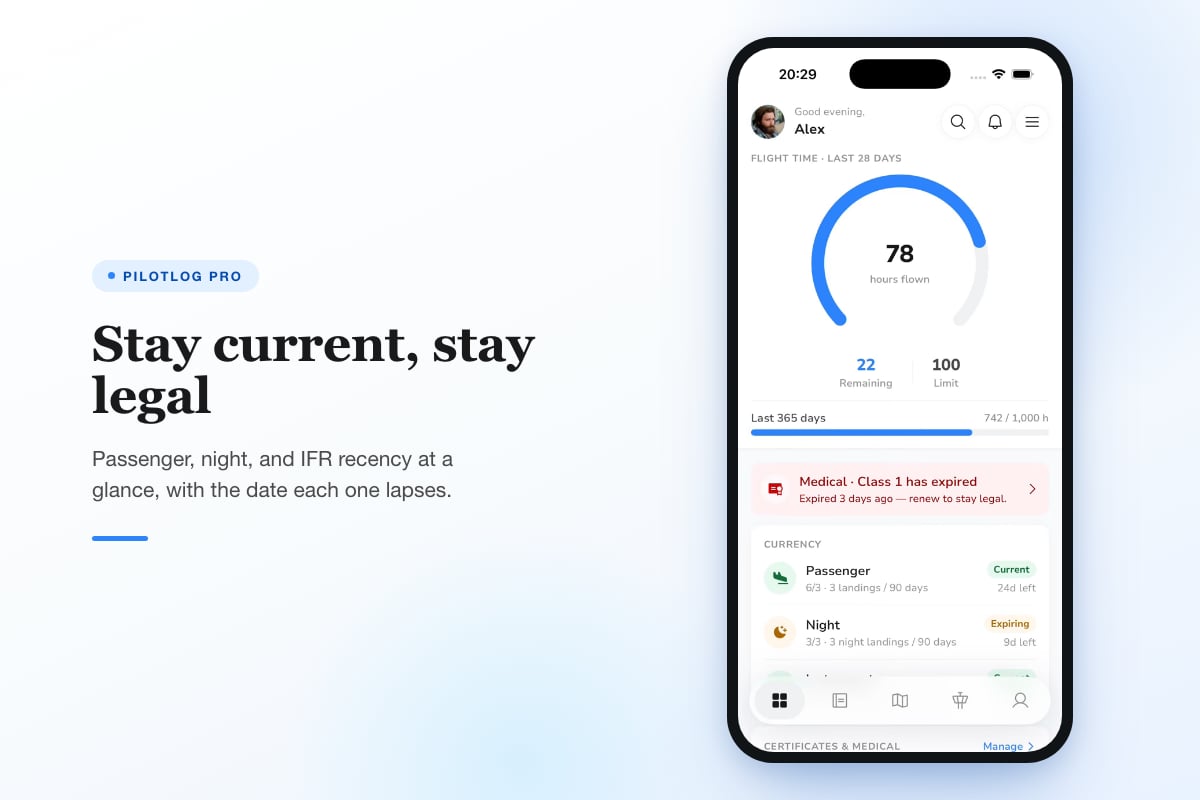
Pilotlog Pro offers this level of automation, tracking rolling 28-day and 365-day flight-time limits, passenger and night currency, and IFR recency with alerts flagged well in advance. You log a flight in seconds, and the system handles the arithmetic behind currency and duty compliance.
Currency and the Flight Timer
Maintaining currency means you've flown recently enough to exercise the privileges of your licence. A flight timer is the starting point for proving currency, but the rules vary by operation and licence type.
Passenger Currency
Under FAA regulations, to carry passengers in an aircraft, you must have completed three takeoffs and landings within the preceding 90 days in the same category, class, and type (if a type rating is required). If those landings were at night, you meet night passenger currency. Your flight timer captures the block time for those flights, but you also need to log the number of landings and the time of day.
EASA's Part-FCL applies a similar framework under FCL.060, though the specific recency requirements differ by licence. A digital flight timer paired with a logbook that tracks landing counts ensures you never miss the 90-day window.
Instrument Currency
IFR currency typically requires six instrument approaches, holding, and intercepting and tracking courses within six months. The flight timer records the time you spent under actual or simulated IMC, but you must also log the specific tasks. A well-designed digital logbook prompts you to enter approaches and holds after each IFR flight, tying them to the timed leg.
Instructor and Examiner Recency
Flight instructors and examiners face additional recency rules. For example, to revalidate a Flight Instructor Certificate (Aeroplane) under EASA Part-FCL, you must have completed a minimum number of hours of flight instruction in the relevant category within the preceding three years. Your flight timer captures dual given, but your logbook must distinguish it from PIC or dual received.
Flight and Duty Time Limitations
Flight time is a component of flight duty period (FDP), the span from report to release that includes pre-flight, flight, and post-flight duties. Regulators impose FDP limits to manage fatigue, and a flight timer measures the flight portion within that window.
Part 117 and Rolling Limits
Part 117 sets maximum FDP based on the number of flight segments, time of day, and augmentation. Within those FDPs, flight time is capped at 100 hours in 672 consecutive hours, 1,000 hours in 365 consecutive days, and 60 hours in 168 consecutive hours (seven days). A flight timer logs each leg, and pilots sum those hours across rolling windows to ensure compliance.
For example, if you flew 78 hours in the past 28 days, you have 22 hours of flight time remaining before hitting the 100-hour ceiling. A digital logbook that automatically calculates rolling totals alerts you when you approach the limit, preventing scheduling conflicts.
EASA ORO.FTL
EASA operators follow ORO.FTL, which applies similar cumulative limits: 100 flight hours in 28 consecutive days, 900 in a calendar year, and 1,000 in any 12 consecutive months. UK CAA guidance details how operators must track and report these hours, and how flight timers feed into fatigue risk management systems.
Extensions and Exemptions
Recent FAA guidance, including Notice 8900.764 from January 2026, clarifies how FDP and flight time limitation extensions are documented when unforeseen operational circumstances arise. If a flight timer records an extension, the logbook entry and operator records must reflect the reason and duration.
Flight Timers and Fatigue Management
Accurate flight timing supports broader fatigue management strategies. Research published in Frontiers in Environmental Health demonstrates that ultra-long-range flights induce measurable fatigue correlated with flight duration, duty period, and circadian phase. Flight timers provide objective data for these analyses, helping operators and researchers map fatigue risk.
A recent study on arXiv in August 2026 used physiological sensors and flight timing data to map pilot stress during training flights. The timing records revealed workload spikes during approach and landing phases, informing tailored rest and training protocols.
Practical Fatigue Mitigation
- Track rolling hours weekly: Don't wait until the end of the month to sum your flight time. Check your rolling 28-day total after each week.
- Log rest periods: Note when your duty period ends and when you start your next rest. A flight timer alone won't tell you if you met minimum rest requirements.
- Monitor circadian timing: Late-night and early-morning departures accumulate fatigue faster. Review your flight timer data alongside duty start times.
How to Use a Flight Timer Effectively
Maximising the value of a flight timer requires discipline and integration with your broader record-keeping.
Starting and Stopping the Timer
Start your flight timer when the aircraft first moves under its own power for the purpose of flight. For most pilots, this is brake release after engine start. Stop it when the aircraft comes to rest after landing, usually parking brake set or chocks in.
If you taxi back for fuel or make a stop-and-go, keep the timer running until the final shutdown. The regulations count continuous movement, so multiple landings on one flight accumulate under one timer session.
Recording Time in Your Logbook
After landing, transfer the flight timer reading to your logbook immediately. Digital timers often sync automatically, but if you use a mechanical timer, write the time in the appropriate column (total time, PIC, dual, etc.) before you forget.
Check that your block time matches other records: the aircraft's Hobbs meter, ATC timestamps, or FBO receipts. Discrepancies can flag timer errors or misunderstandings about when flight time begins.
Reconciling with Scheduled vs Actual
Airlines and charter operators schedule flights based on estimated block times, but actual flight time often differs due to taxi delays, holds, or routing changes. A flight timer captures the truth, and your logbook should reflect actual block time, not the rostered estimate. If your scheduled block was 4.2 hours but your timer shows 4.7, log 4.7.
Common Flight Timer Mistakes and How to Avoid Them
Even experienced pilots make timing errors that cascade into currency lapses or duty limit violations.
Forgetting to Start or Stop
The most common mistake is simply forgetting to press start at pushback or stop at parking. Digital timers with GPS auto-start reduce this risk, but even they can fail if GPS signal is weak. Build a habit: start the timer during your engine start flow, stop it when you set the parking brake.
Confusing Flight Time with Duty Time
Flight time and duty time are distinct. Duty time includes briefing, pre-flight, post-flight, and rest breaks. A flight timer measures only the airborne portion. Don't log duty hours as flight time or vice versa, especially when tracking Part 117 limits.
Logging Hobbs Instead of Block Time
Hobbs meters run whenever the master is on, which can include ground ops, engine warm-up, or system checks. Block time is movement to movement. If your Hobbs shows 3.8 hours but you only moved for 3.5, log 3.5 as flight time. Cross-reference with taxi times and ATC logs if in doubt.
| Mistake | Consequence | Fix |
|---|---|---|
| Forgetting to start timer | Under-logged hours, currency gaps | Auto-start GPS timer, cockpit checklist |
| Using Hobbs as flight time | Over-logged hours, audit issues | Compare Hobbs to movement logs |
| Mixing flight and duty | Incorrect FDP calculations | Separate flight and duty in logbook |
| Rounding or estimating | Inaccurate currency tracking | Record exact tenths from timer |
Choosing the Right Flight Timer
Your choice of flight timer depends on aircraft type, operation, and personal workflow.
For Student Pilots
Students benefit from simple mechanical timers or basic smartphone apps. You're learning to manage cockpit workload, so a timer that starts with one button press and displays elapsed time clearly is ideal. As you progress, migrate to a digital logbook that integrates timing with currency and hour-building goals.
For General Aviation Pilots
GA pilots often fly varied aircraft without built-in timers. A portable app-based timer on your phone or tablet offers flexibility. Look for GPS auto-start, logbook sync, and the ability to track multiple aircraft types. If you rent aircraft frequently, a timer that doesn't rely on panel installation is essential.
For Commercial and Airline Pilots
Commercial operations demand precise flight time tracking for regulatory compliance and payroll. Many airlines use integrated crew management systems that pull flight times from ACARS or flight data recorders. As a pilot, you still need a personal flight timer to verify those records and maintain your own logbook for licence applications and job transitions.
For Instructors
Flight instructors log dual given, which counts as flight time but requires separate tracking from PIC. A flight timer paired with a logbook that breaks down dual given, PIC, and SIC in one entry saves time and ensures you meet revalidation hour requirements.
Regulations Change: Always Confirm Current Rules
Flight time definitions, duty limits, and currency requirements evolve. The FAA, EASA, and national authorities publish amendments, notices, and guidance that can alter how you use a flight timer. Before relying on any regulatory figure in this article, confirm it against the current official source for your operation and jurisdiction.
A flight timer is more than a stopwatch. It anchors your logbook, proves your currency, and keeps you within duty limits as regulations tighten and careers progress. Whether you fly a Cessna 152 or an A350, accurate timing protects your licence and your passengers. Pilotlog automates the arithmetic behind those hours, tracking rolling limits, currency deadlines, and expiry alerts so you can focus on flying. Log a flight in seconds on iOS or Android, and let the system handle the rest.
- flight timer
- flight time tracking
- pilot currency
- logbook compliance
- part 117
A logbook that keeps itself.
Join the waitlist and be first in line when Pilotlog launches.
Free to join, no spam. Unsubscribe any time.