electronic pilot logbook
Best Electronic Pilot Logbook: 2026 Guide
22 Jul 2026 · 15 min read
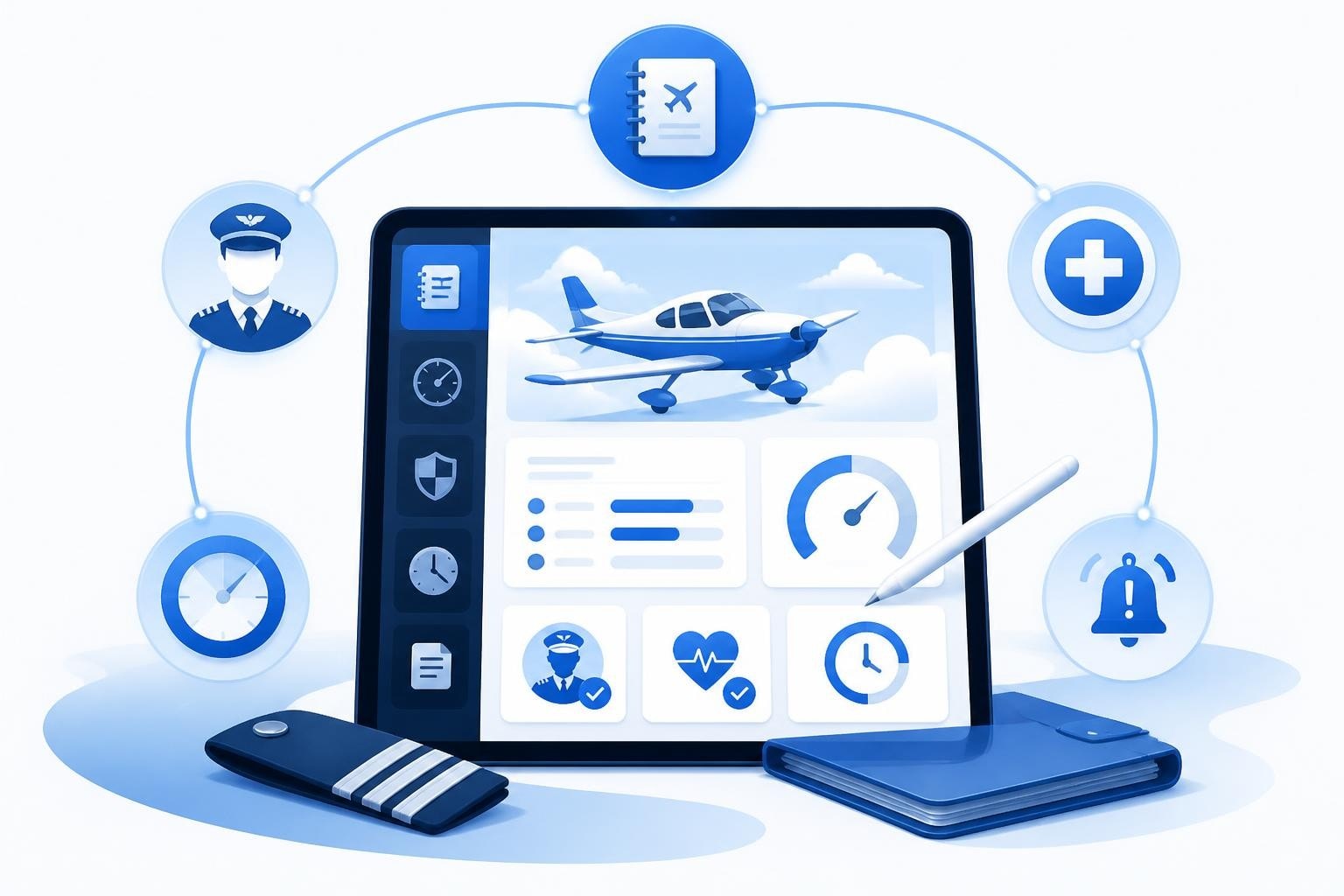
The best electronic pilot logbook combines fast flight entry with automatic tracking of currency, duty limits, and expiries while meeting FAA and EASA regulatory requirements. A good digital logbook should log a sortie in under 30 seconds, flag your passenger currency 7 days before it lapses, and export a clean PDF for interview or authority audit. The right choice depends on whether you need basic time building or comprehensive airline-grade tracking across multiple licences and type ratings.
What Makes a Digital Logbook Legally Compliant
Electronic logbooks are fully legal under both FAA and EASA rules provided they meet specific recordkeeping standards. The FAA permits electronic logbooks under 14 CFR 61.51, which requires pilot logbooks to be reliable, available for inspection, and include all mandatory entries such as date, aircraft type, departure and arrival points, flight time, and pilot capacity. Advisory Circular AC 120-78A sets out electronic signature and data integrity requirements, ensuring records cannot be silently altered after creation.
EASA Part-FCL does not mandate paper logbooks either. Under EASA rules, the critical requirement is that your logbook be available for inspection by competent authorities and accurate enough to demonstrate compliance with currency and experience requirements. Many national aviation authorities within EASA member states accept electronic formats, though you should verify specific national rules.
Key Compliance Features
A compliant best electronic pilot logbook must offer:
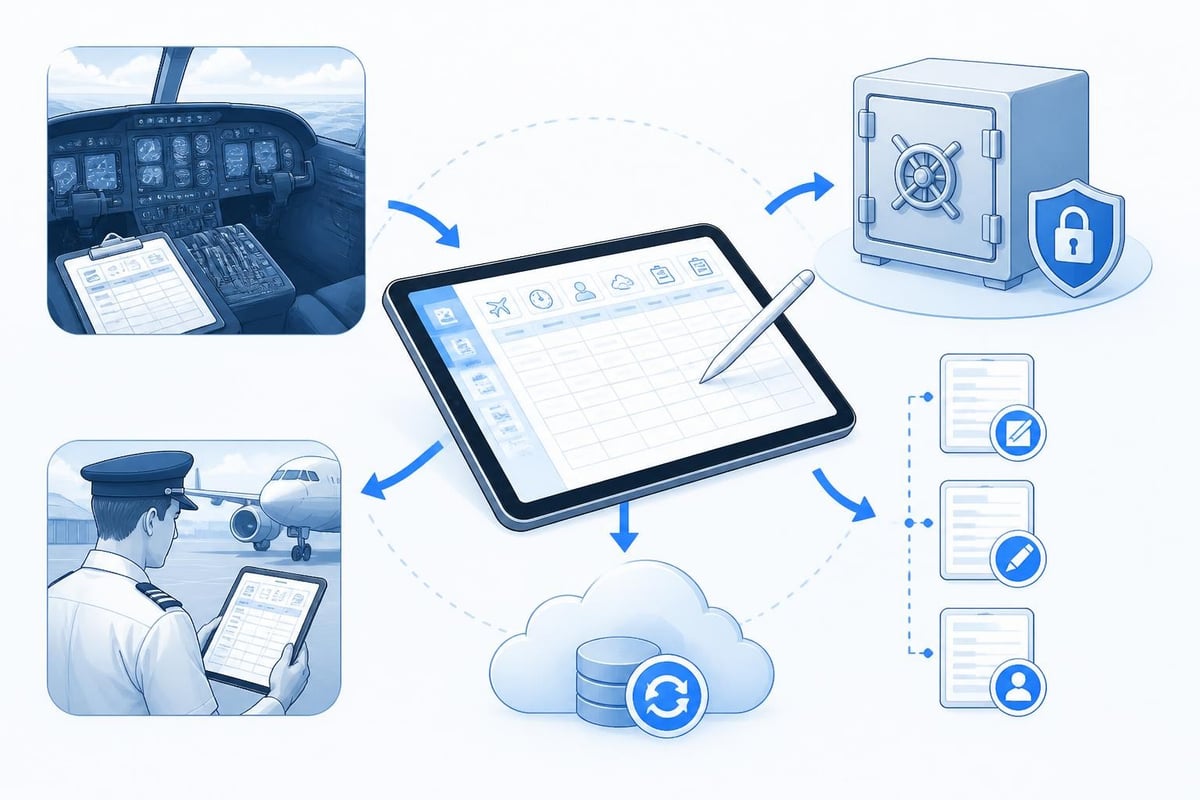
- Tamper-proof entries: Once saved, flight records should not be editable without an audit trail
- Reliable backup: Cloud sync or automated local backup prevents total data loss
- Export capability: Generate PDF or CSV files for authorities, interview panels, or type rating applications
- Inspection access: Allow auditors to view records on demand, either on device or via printed export
Some jurisdictions require electronic records to be retained for specific periods. Student pilots should note that flight training records often need to be kept longer than the minimum time specified for licence holders. Always confirm current requirements with your civil aviation authority before relying exclusively on digital records.
Flight Entry Speed and Workflow
Logging a flight should take seconds, not minutes. The best electronic pilot logbook designs reduce friction at every step, allowing you to capture the essential data while tired after a long sector or multi-leg day.
Top-performing apps use smart defaults and autofill logic. After your first few flights, the system should predict aircraft registration, departure and arrival points, and even flight rules based on your recent pattern. If you fly the same aircraft 80 times in 100 flights, the logbook should default to that tail number.
Comparison of Entry Methods
| Method | Speed | Accuracy | Best For |
|---|---|---|---|
| Manual field entry | 2-3 minutes | High if careful | One-off flights, ferry flights |
| Template-based | 45-60 seconds | High | Routine line flying, instructing |
| Quick-entry mode | 15-30 seconds | Medium | High-frequency operations |
| Bulk import | Seconds per flight | Depends on source | Backfilling old paper logbooks |
Quick-entry modes strip the interface down to essentials: date, aircraft, route, and hours. The logbook auto-populates PIC time if you consistently fly as commander, or dual if you're a student. This approach works well for pilots logging 15 flights per week on the same aircraft type.
Templates suit instructors who fly the same circuit with different students. Save a template for "C152 local dual", duplicate it, change the student name and Hobbs times, and you're done. Over a year, this saves hours of repetitive data entry.
Automatic Currency and Recency Tracking
Currency tracking separates a simple logbook from the best electronic pilot logbook. Pilots must juggle multiple time-based rules: passenger currency (typically 3 takeoffs and landings in 90 days under FAA 14 CFR 61.57), night currency, IFR currency (6 approaches, holding, and tracking in 6 months under FAA rules; EASA OPS 1.970 for commercial operations), and type-specific requirements for multi-pilot aircraft.
Manual tracking means scanning pages of paper logbook entries, tallying landings by day and night, and marking calendar dates. Digital systems count automatically. Each time you log a flight with 2 day landings, the system increments your counter and recalculates your currency expiry date.
What to Track Automatically
- Passenger currency: Day and night takeoffs/landings in rolling 90-day window
- IFR currency: Approaches, holds, intercepts in 6-month period (FAA) or 12-month validity (EASA)
- Flight time limits: Rolling 28-day and 365-day totals for Part 117 or EU-OPS subpart Q compliance
- Duty limits: On-duty hours in 24-hour, 7-day, and 28-day windows
- Night hours: Total and recent for commercial licence privileges
- PIC time by category and class: Single-engine, multi-engine, turbine

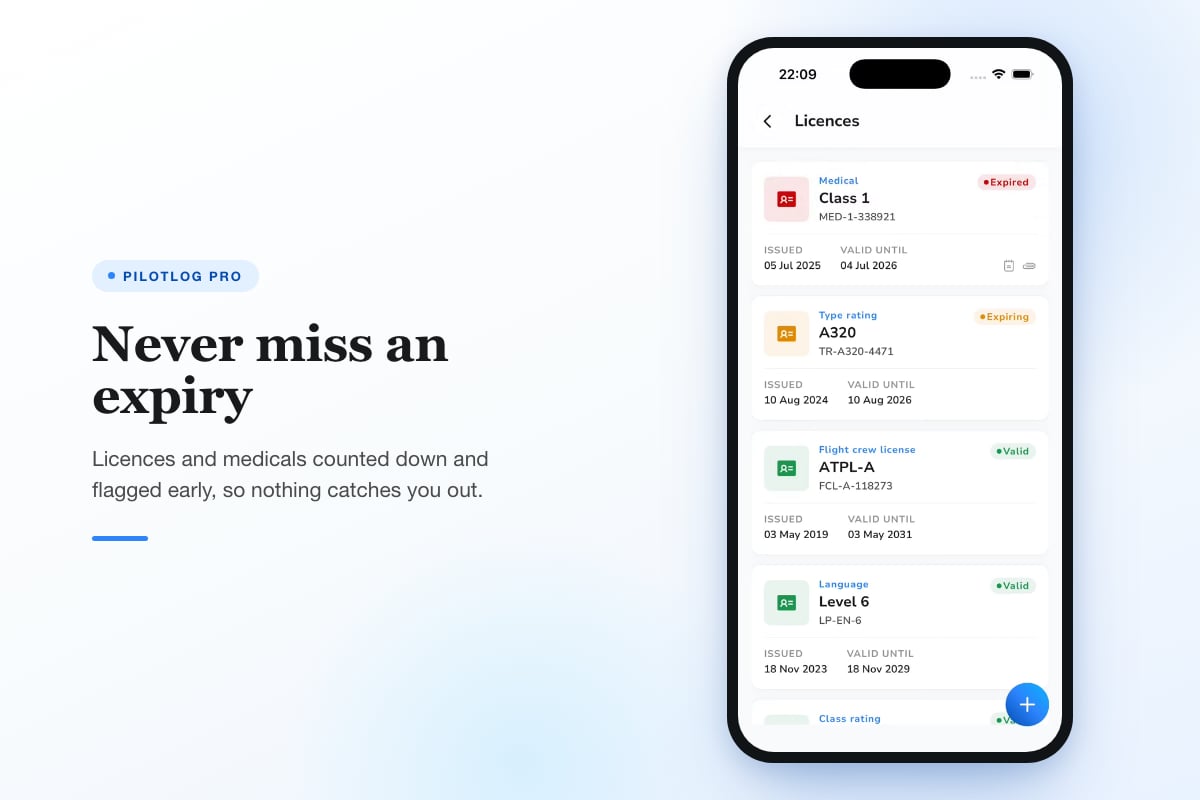
A best electronic pilot logbook flags upcoming lapses before they happen. Receive an alert 14 days before your Class 1 medical expires, not the morning you discover it lapsed. Know you need 1 more night landing 7 days before your 90-day window closes, giving you time to schedule a currency flight.
Pilotlog Pro tracks rolling 28-day and 365-day flight-time limits, passenger and IFR currency with lapse dates, and licence and medical expiry alerts flagged early, so nothing catches you by surprise. Built for pilots across the whole career, from students building hours to airline crew managing multi-type ratings.
Licence and Medical Expiry Management
Pilots manage multiple documents with staggered expiry dates: PPL, IR, multi-engine rating, type ratings, Class 1 or Class 2 medical, SEP class rating revalidation, instrument proficiency check. Paper systems rely on calendar reminders you set manually. Electronic logbooks centralise expiry tracking alongside your flight records.
Add each licence and medical with its issue and expiry date. The system calculates days remaining and surfaces urgent items on your dashboard. Some logbooks also track the revalidation requirements, showing how many hours or sectors you need in the next 12 months to revalidate by experience rather than test.
Common Expiries to Track
| Document | Typical Validity | Revalidation Requirement | Lead Time |
|---|---|---|---|
| Class 1 Medical (under 40) | 12 months | Medical exam | 30-60 days |
| Class 1 Medical (over 40) | 6 months | Medical exam | 30-60 days |
| SEP Class Rating (EASA) | 24 months | 12 hours + 6 as PIC in last 12 months or proficiency check | 60 days |
| Instrument Rating (FAA) | 6 months (currency) | 6 approaches, hold, intercept | 30 days |
| Type Rating (multi-pilot) | 12 months | Operator proficiency check | 60 days |
Early alerts allow you to book examiner slots, schedule simulator sessions, or plan revalidation flights before the deadline. A medical appointment booked 45 days early avoids the rush and gives time to resolve any aeromedical issues that arise.
For more details on managing your currency requirements, see the currency cheat sheet and expiry checkride audit resources.
Career Statistics and Milestone Tracking
Beyond compliance, the best electronic pilot logbook reveals your career arc through data. Total time builds slowly at first, then accelerates. Multi-engine time crosses the 500-hour threshold for some insurance minimums. Night PIC hours reach the 100-hour mark that some employers prefer.
Digital logbooks calculate these totals automatically. Filter by aircraft category, date range, or flight rules to answer interview questions: "How much turbine PIC do you have in the last 24 months?" The answer appears in 3 seconds, not 30 minutes of paper-page arithmetic.
Graphs and trends show your activity over time. A line chart of monthly hours reveals seasonal patterns or the impact of a new job. A breakdown by aircraft type shows whether you're current across your ratings or rusty on the twin. These insights help you plan currency flights, target specific hour-building, or prepare interview statistics months in advance.
Useful Career Metrics
- Total flight time by PIC, SIC, dual, and solo
- Time by aircraft category and class (ASEL, AMEL, helicopter, glider)
- Turbine time and turbine PIC time
- Cross-country time over 50 nautical miles
- Instrument time (actual and simulated)
- Night time and night PIC time
- Takeoffs and landings (day, night, total)
- Number of sectors and number of aircraft types flown
Some logbooks also track non-flying events such as ground training, simulator sessions, and type rating courses. This creates a complete professional record, useful when reconstructing your CV or applying for advanced ratings.
Platform and Sync Options
The best electronic pilot logbook works across the devices you actually use. Pilots carry iPhones or Android phones, some use iPads in the cockpit, and many want desktop access for detailed entry or pre-interview review. Cross-platform sync ensures the flight you log on your phone after landing appears instantly on your tablet and laptop.
Cloud sync is standard in modern apps. Each flight entry uploads to a central server, which pushes updates to all your signed-in devices. If your phone fails, you lose nothing. Log back in on a new device and your complete logbook downloads in seconds. However, cloud sync requires trust in the provider's data security and long-term viability. Choose services with strong encryption, regular backups, and a clear data ownership policy.
Offline capability matters for pilots flying in remote areas or international routes without reliable data. A good app lets you log flights offline and sync when connection resumes. This prevents data loss and avoids the frustration of an app that refuses to save because it cannot reach the server.
Platform Availability Checklist
- iOS app (iPhone and iPad)
- Android app
- Web interface for desktop entry and reporting
- Offline mode with automatic sync on reconnection
- Data export in multiple formats (PDF, CSV, Excel)
- Backup and restore functions independent of cloud sync
Compare these features when evaluating options. Some apps excel on mobile but offer clunky web interfaces. Others provide desktop power but lack polished mobile experiences. The best balance depends on where you do most of your logging.
Data Import, Export, and Backup
Starting with a best electronic pilot logbook often means transferring decades of paper records. Bulk import saves weeks of manual entry. Most apps accept CSV files with defined columns: date, aircraft type, registration, departure, arrival, flight time, landings, and so on. Export your existing digital records or type paper entries into a spreadsheet template, then upload the file. The app parses each row into individual flight entries.
Review imported data carefully. Typographical errors, inconsistent date formats, or missing mandatory fields cause import failures or corrupt records. A sample import of 10 flights lets you spot issues before committing 1,000 hours of history.
Export is equally critical. Authorities may request your logbook in paper or PDF form. Interview panels want a summary showing total time and time on type. Insurance underwriters need proof of recent experience. A one-click PDF export with customisable fields (totals, endorsements, ratings) satisfies all these needs.
Regular backups protect against app failure, account lockout, or provider shutdown. Automated cloud backup is convenient, but also export a local copy monthly. Save it to multiple locations: laptop, external drive, cloud storage service. This redundancy ensures you can rebuild your logbook even if the original app disappears.
For a broader comparison of digital logbook platforms, see the guide to the best digital logbook for pilots.
Advanced Features for Professional Pilots
Airline and commercial pilots need features beyond basic flight logging. Multi-crew operations, duty time regulations, and complex type rating requirements demand more sophisticated tracking.
Crew pairing allows you to log flights with specific first officers or captains, useful for CRM notes or tracking who you've flown with across fleets. Aircraft variant tracking distinguishes between -800 and -900 models of the same type, important when revalidation or insurance requires hours on the exact variant. Duty and FDP tracking calculates flight duty periods, rest periods, and cumulative limits under Part 117 (FAA) or EU-OPS Subpart Q (EASA), flagging potential exceedances before you accept a pairing.
Some logbooks integrate with airline rostering systems, importing scheduled flights automatically. You review and confirm each flight rather than entering data manually. This saves time on high-frequency short-haul operations where you might log 6 sectors per day.
Feature Comparison for Professional Use
| Feature | Student/PPL | CPL/Instructor | Airline/Multi-crew |
|---|---|---|---|
| Basic flight logging | Essential | Essential | Essential |
| Currency tracking | Essential | Essential | Essential |
| Duty time limits | Not needed | Useful | Essential |
| Multi-crew pairing | Not needed | Not needed | Essential |
| Type variant tracking | Not needed | Useful | Essential |
| Rostering integration | Not needed | Not needed | Very useful |
| Endorsement tracking | Useful | Essential | Useful |
| CFI signature capture | Essential for students | Essential | Not needed |
Match features to your current role and near-term career plans. A student pilot does not need airline rostering integration, but should prioritise CFI signature capture and endorsement tracking. A newly qualified instructor needs fast duplicate entry and student management. An airline pilot needs robust duty tracking and multi-type rating support.
Cost and Subscription Models
Electronic logbooks range from free basic versions to professional subscriptions costing 50-100 USD per year. Free tiers typically limit flight entries (e.g., 50-100 flights) or restrict advanced features such as currency alerts, detailed statistics, or multi-device sync. They suit student pilots in early training or occasional recreational flyers.
Paid subscriptions unlock unlimited flights, full currency tracking, duty limits, automatic backups, and priority support. For pilots flying 100-200 hours per year, the annual cost equals 2-3 gallons of avgas. The time saved on manual totalling and currency calculation justifies the expense within weeks.
Some apps charge one-time fees rather than subscriptions. You pay once and own the software, though updates and cloud features may require additional payments. Subscription models fund ongoing development, cloud infrastructure, and regulatory updates when rules change. Consider your preference for ownership versus continuous improvement.
Compare total cost over 5 years. A free app that charges for every export or limits backups may cost more than a straightforward annual subscription. Read the fine print on data ownership: can you export your complete logbook if you cancel? Do you retain access to historical data?
Security, Privacy, and Data Ownership
Your logbook contains sensitive personal data: full name, licence numbers, medical validity, employer information, and a detailed record of your whereabouts on specific dates. The best electronic pilot logbook providers encrypt this data in transit and at rest, use secure authentication (two-factor where possible), and maintain clear privacy policies about who can access your information.
Data ownership matters if you change apps or the provider ceases operation. Ensure the terms of service grant you full ownership of your flight data and the right to export it in a usable format at any time. Avoid providers that claim ownership of your entries or restrict export unless you pay additional fees.
Review the provider's track record and longevity. A logbook from a company in business for 10+ years is more likely to be available when you need your records in 20 years than a new startup. Check for regular updates, active support forums, and responsiveness to user-reported issues.
Privacy considerations:
- Does the app share data with third parties (advertisers, analytics firms)?
- Can you delete your account and all associated data permanently?
- Where are servers located, and does that affect data protection laws (GDPR, etc.)?
- Is your logbook data visible to other users or the app provider's staff?
For additional context on regulatory compliance, see this guide on electronic logbook FAA requirements and this explanation of digital aircraft logbook compliance.
Choosing the Right Electronic Logbook
Selecting the best electronic pilot logbook starts with defining your needs. A student pilot building 50 hours per year has different priorities than an airline captain logging 800 hours across 3 type ratings. List your must-have features: currency tracking, endorsement management, duty limits, offline mode. Then evaluate apps against that list.
Download trial versions and log 5-10 real flights. Test the entry workflow: does it feel fast or frustrating? Check currency calculations against manual totals to verify accuracy. Export a sample PDF and confirm it meets the format authorities or interview panels expect. If the app offers customer support, ask a technical question and assess response time and quality.
Read reviews from pilots in similar roles. Instructor reviews highlight CFI signature capture and student management. Airline pilot reviews focus on duty tracking and rostering integration. Student reviews emphasise ease of use and endorsement tracking. Weigh these perspectives against your own priorities.
Decision checklist:
- Does the app run on all your devices (phone, tablet, computer)?
- Can you log a routine flight in under 60 seconds?
- Does it track the specific currency rules you must follow (FAA, EASA, national)?
- Will it alert you to upcoming expiries with sufficient lead time?
- Can you export a professional PDF logbook for interviews or audits?
- Does the pricing fit your budget over the next 3-5 years?
- Is your data secure, backed up, and exportable if you leave the platform?
If the answer to all seven questions is yes, you have found a strong candidate. Test it for 30 days of regular use before committing long-term. Many pilots run parallel systems (paper and electronic, or two apps) for a transition period to ensure confidence in the new platform.
For background on FAA logbook requirements and electronic acceptance, consult official guidance and ensure your chosen app aligns with current rules. Additional perspectives on electronic versus paper logbooks for airline pilots can inform your decision. For a broader view of digital logbook compliance, see this clear guide on FAA and EASA rules.
Rules and requirements change. Always verify current regulations with your civil aviation authority or a qualified aviation attorney before relying exclusively on any logbook system, electronic or paper.
The best electronic pilot logbook combines regulatory compliance, fast flight entry, automatic currency tracking, and robust data security to keep you current, legal, and ready. Whether you are building hours toward a CPL or managing multi-type ratings across an airline career, the right digital solution saves time, prevents lapses, and delivers the records you need when it matters. Pilotlog handles all of this in one place: log a flight in seconds, track your currency and expiries automatically, and get alerts before anything lapses. Available on iOS and Android, it keeps you current and interview-ready from first solo to command.
- electronic pilot logbook
- digital logbook app
- faa logbook compliance
- currency tracking
- easa part-fcl
A logbook that keeps itself.
Join the waitlist and be first in line when Pilotlog launches.
Free to join. We’ll email you about the launch and Pilotlog news. Unsubscribe any time. Privacy policy