flight tracking
Track Your Flight: How Pilots Monitor and Log Routes
1 Aug 2026 · 13 min read
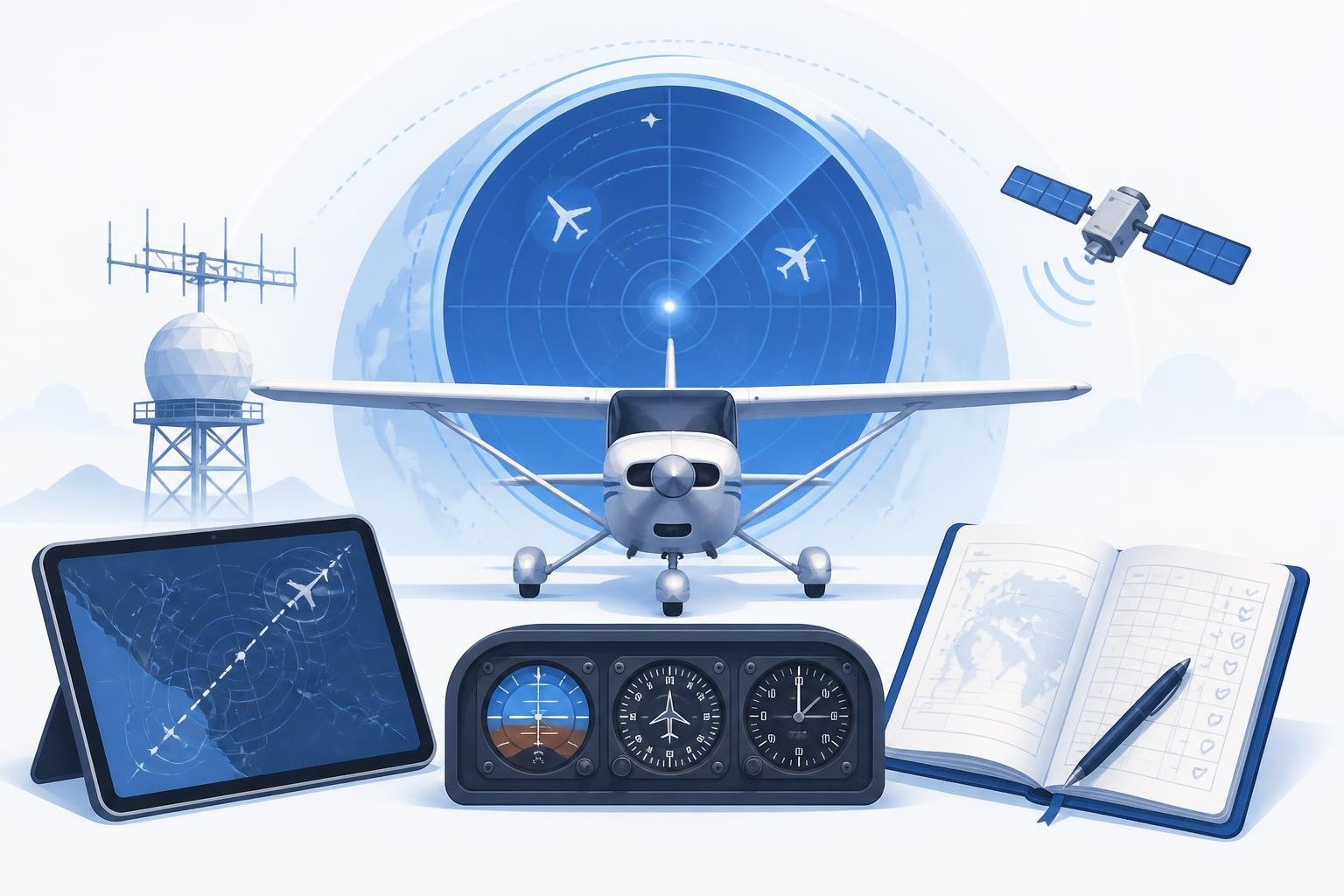
When you need to track your flight, you are looking at real-time aircraft position data collected through a combination of ADS-B transponders, radar networks, and satellite feeds. These systems broadcast position, altitude, speed, and heading every second, feeding platforms like Flightradar24 and FlightAware. For pilots, tracking extends beyond watching a moving icon: it means logging every flight into a digital logbook that calculates currency, totals hours by type and condition, and flags upcoming expiries.
Flight tracking serves two distinct purposes. Passengers and observers watch flights in real time to monitor arrivals, delays, or routes. Pilots track their own flights retrospectively to maintain legal currency, build experience records, and prove compliance when ramp-checked or applying for roles. Both rely on the same underlying position data, but the applications differ sharply.
How Flight Tracking Systems Collect Data
ADS-B (Automatic Dependent Surveillance-Broadcast) is the backbone of modern flight tracking. Aircraft equipped with ADS-B Out transponders broadcast their GPS position, altitude, groundspeed, and identification code once per second. Ground stations and satellite receivers pick up these signals and relay them to aggregators.
FlightAware consolidates data from multiple sources, including ADS-B, ACARS datalink, and air navigation service providers. This multi-source approach fills coverage gaps, particularly over oceans where ADS-B ground stations cannot reach. Satellite-based ADS-B receivers from providers like Aireon now cover polar and oceanic regions that were previously dark.
Radar remains essential in controlled airspace. Primary radar detects aircraft by reflecting radio waves off the fuselage, requiring no onboard equipment. Secondary surveillance radar (SSR) interrogates transponders, receiving back a squawk code, altitude, and (if Mode S is fitted) aircraft identification. These feeds supplement ADS-B, especially for aircraft not yet equipped with modern transponders.

Who Uses Real-Time Flight Tracking
- Airlines monitor fleet movements, delay propagation, and diversion costs
- Air traffic control uses radar and ADS-B to separate aircraft safely
- Families and passengers check arrival times and gate changes
- Spotters and enthusiasts identify aircraft types and routing
- Researchers study traffic patterns, emissions, and airspace efficiency
Pilots rarely track their own flight in real time from the cockpit; they are too busy flying it. The value comes later, when you log the route, conditions, and time to maintain your records.
Real-Time Platforms: Flightradar24, FlightAware, and ADS-B Exchange
Several platforms offer real-time tracking, each with different coverage and data policies. Flightradar24 aggregates ADS-B data from a global network of volunteer feeders and supplements it with satellite receivers and MLAT (multilateration). You can search by flight number, registration, or aircraft type, then watch the track overlaid on a map.
FlightAware serves a similar role, but also ingests data directly from air navigation service providers, giving it authoritative position reports even when ADS-B coverage is thin. This makes it popular for operational users who need reliable ETAs and fuel burn estimates.
ADS-B Exchange operates on a non-commercial model. It accepts feeds from volunteers and displays all aircraft, including those blocked from other platforms for privacy reasons. This completeness makes it a go-to source for researchers and open-source intelligence work, as documented in OSINT monitoring guides.
| Platform | Primary Data Source | Coverage | Filtering |
|---|---|---|---|
| Flightradar24 | ADS-B + MLAT + satellite | Global | Some aircraft blocked |
| FlightAware | ADS-B + ANSP feeds | Global, strong over US | Some aircraft blocked |
| ADS-B Exchange | ADS-B only | Good in Europe/US | No filtering |
| OpenSky Network | ADS-B from research feeders | Moderate, academic focus | Full historical archive |
The OpenSky Network deserves mention for providing open research access to flight data. It archives every ADS-B message it receives, letting researchers query historical tracks and study long-term trends.
What Pilots Actually Track: Currency, Hours, and Limits
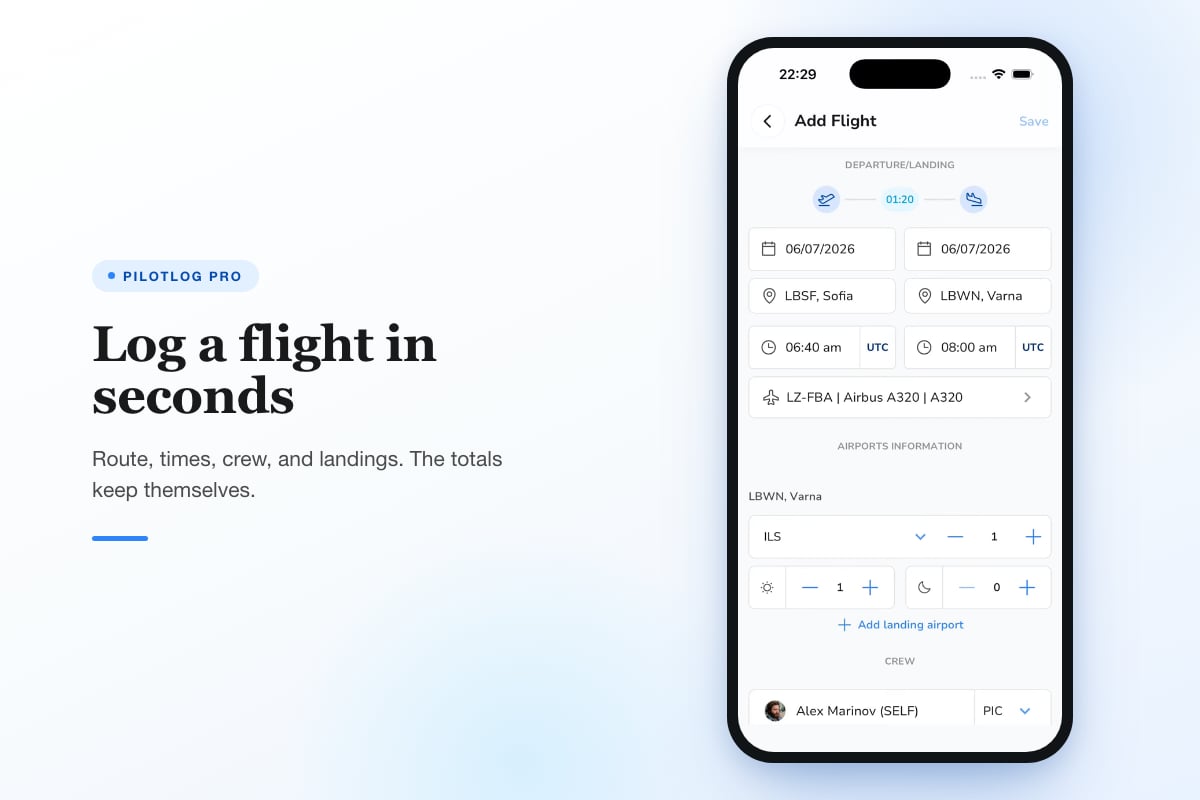
Track your flight as a pilot, and you are not watching a map. You are recording departure and arrival times, landings (day and night), approaches flown, and PIC or dual time. This record proves you meet currency requirements and documents the experience needed for ratings, type endorsements, or airline applications.
Key Items Logged After Every Flight
- Block time: chocks off to chocks on, or equivalent
- Flight time: airborne time, wheels off to wheels on
- Landings: day, night, full-stop, touch-and-go
- Approaches: type (ILS, RNAV, VOR), published vs. practice
- Conditions: VFR, IFR, simulated instrument, actual IMC
- Aircraft type and registration
- Route: departure and arrival aerodromes, via points if required
- Crew roles: PIC, SIC, dual received, instructor time
- Duty and rest periods (for commercial crew subject to FTL)
Currency rules vary by jurisdiction and licence type. In EASA states, FCL.060 sets out recency requirements: to carry passengers, you need three take-offs and landings in the preceding 90 days in the same class or type. For night passenger privileges, those three cycles must occur at night. IFR currency typically requires six instrument approaches, holding, and intercepting/tracking in the preceding six months.
UK CAA and FAA rules differ in detail but follow the same principle: prove recent, relevant experience or complete a check with an examiner or instructor. If you let currency lapse, you cannot legally exercise those privileges until you regain it.
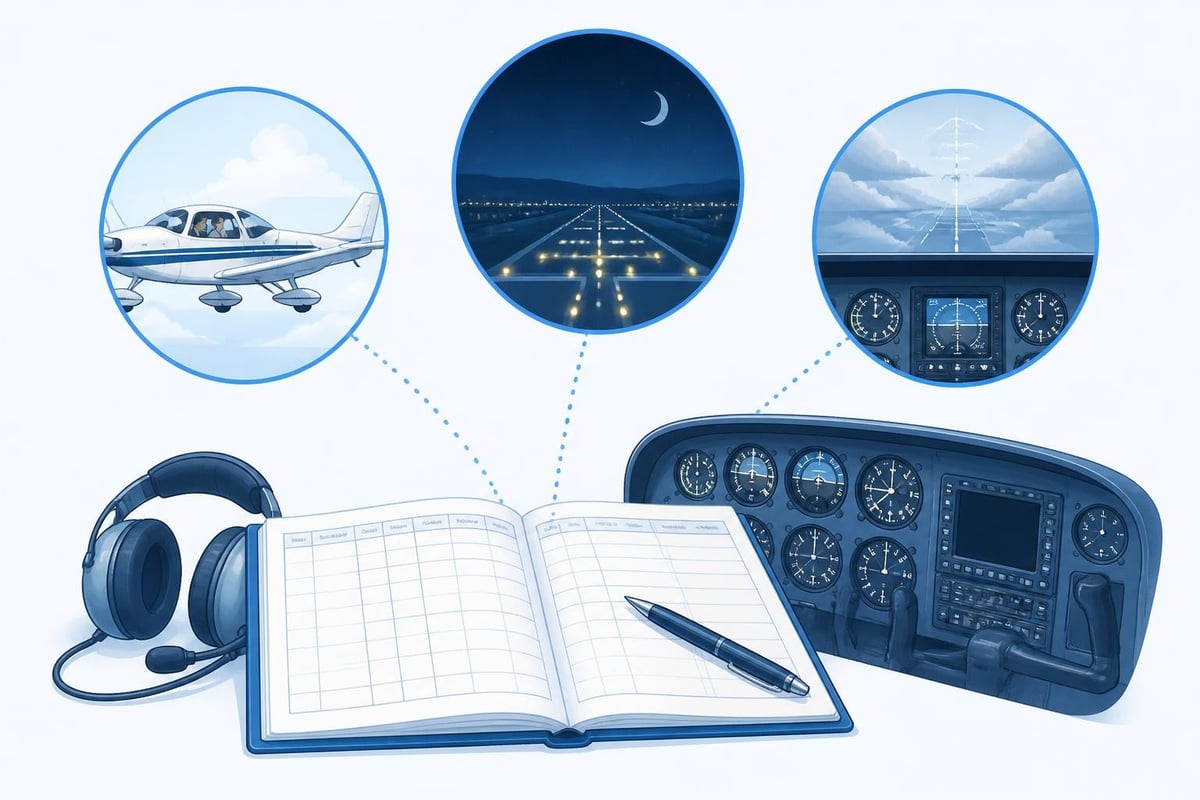
Digital Logbooks and Automatic Tracking
Paper logbooks still meet legal requirements, but they make trend analysis and currency calculations tedious. A digital pilot logbook automates the arithmetic. You enter block times, landings, and conditions; the software totals PIC, night, and cross-country hours, flags currency lapses, and warns you when a medical or licence renewal is approaching.
Pilotlog Pro tracks rolling 28-day and 365-day flight-time and duty limits automatically, crucial for commercial pilots subject to Part-ORO or equivalent regulations. It calculates passenger, night, and IFR currency with lapse dates visible on the home screen, so you know exactly how many days remain before you need another night circuit or approach. Licence and medical expiry alerts appear 60 and 30 days out, giving you time to book the AME or renew your certificate.
Worked Example: Maintaining Night Currency
Imagine you last flew at night on 15 May 2026, completing three circuits. Your 90-day night passenger currency expires on 13 August 2026. On 1 August, Pilotlog flags "Night currency expires in 12 days." You book a local flight for 10 August, complete three night landings, and the system resets the expiry to 8 November 2026.
Had you missed the window, you would be legal to fly VFR by day solo or with a qualified instructor, but not to carry passengers at night until regaining currency. A digital logbook makes these windows visible, preventing accidental lapses.
Tracking for Professional Development and Job Applications
Beyond legal minimums, pilots track their flight for career progression. Airlines want to see jet time, PIC time on type, and hours in multi-crew operations. Instructors log dual given and endorsements signed. Charter pilots track Part 135 vs. Part 91 time. Each category matters to a hiring panel or insurance underwriter.
Rolling totals are particularly useful. Rather than manually adding the last 12 months of turbine time from a paper logbook, a digital system calculates it instantly. When an application asks for "PIC hours in the last 24 months on multi-engine turbine aircraft," you export a filtered report and attach it.
Categories Worth Tracking
- Total time: all flight time logged
- PIC time: acting as pilot in command
- SIC time: second in command in multi-crew ops
- Cross-country: flights over a defined distance (usually 50 nm)
- Night: logged from end of evening civil twilight to start of morning civil twilight
- Actual instrument: flight in IMC without visual reference
- Simulated instrument: under the hood or foggles with safety pilot
- Dual received and dual given (for instructors)
- Type-specific time: hours on each aircraft type
- Turbine, jet, multi-engine categories
Some pilots also track fuel stops, diversions, and unusual events (go-arounds, emergency declarations, system failures) in the remarks. These notes help with recurrent training preparation and provide context if asked about an incident years later.
Combining Real-Time Tracking With Logbook Entries
Public tracking platforms and pilot logbooks serve different purposes, but they can complement each other. If you forget to note your block-off time, you can review the Flightradar24 playback to see when the aircraft started moving. The first ADS-B position update often occurs within seconds of releasing the parking brake.
Similarly, if you are unsure whether you crossed into actual IMC, you can check historical METAR archives against your route and time. This precision helps when audits or insurance claims require proof of conditions.
Caution: Regulation numbers, hour requirements, and validity periods change. Pilots should confirm currency and licence requirements against current official sources (EASA Part-FCL, UK CAA CAPs, or 14 CFR as applicable) rather than relying on informal summaries.
Privacy and Blocking: When Your Flight Disappears From Public View
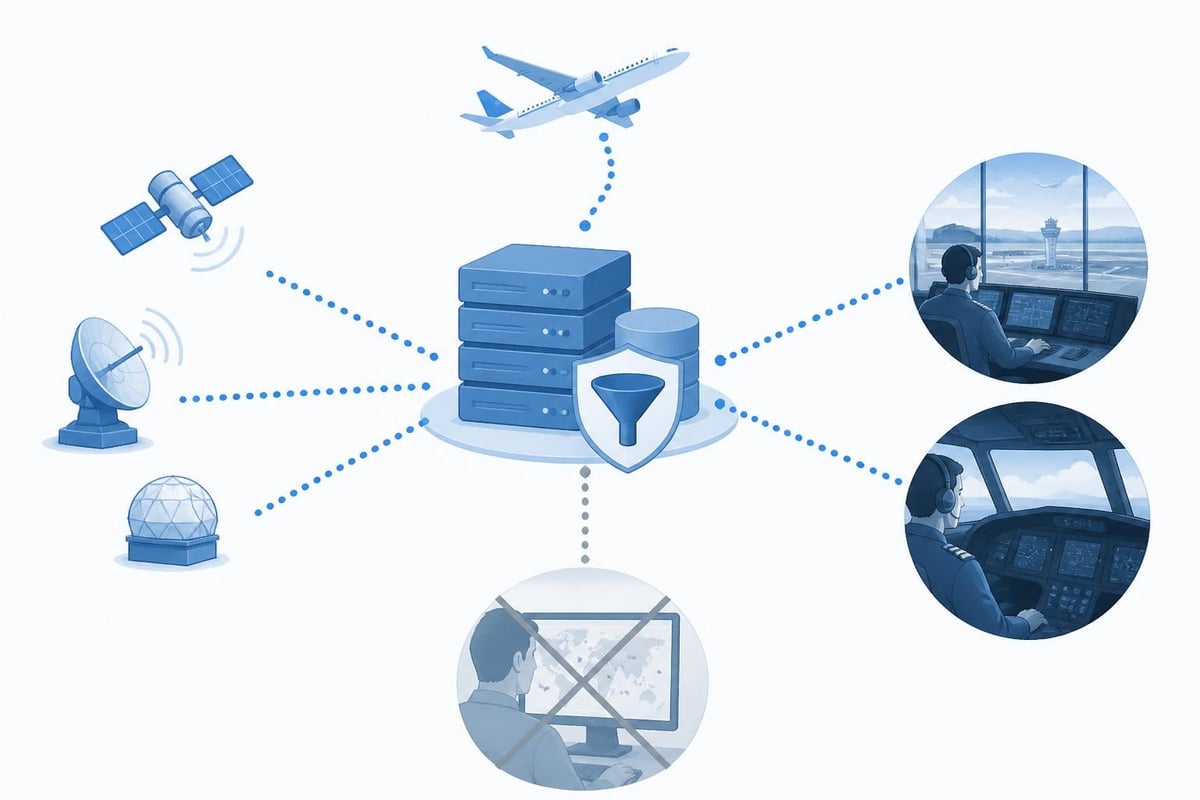
Some operators and owners request that their aircraft be excluded from public tracking platforms. Flight tracking systems honour these blocks by filtering the registration or ICAO address from public display, though the data still reaches ATC and operational users.
Blocking does not affect your logbook. You still record the flight, whether or not the public can watch it. The decision to block is usually driven by security, competitive intelligence, or personal privacy concerns, not pilot recordkeeping.
Tracking Across Multiple Aircraft and Roles
Pilots transitioning between types or roles face the challenge of maintaining currency on more than one aircraft. A CFI might instruct on a Cessna 172 by day and fly a Piper Seminole for night currency. An airline first officer might fly the Airbus A320 on scheduled services and rent a Warrior for weekend trips.
Each aircraft type has its own currency clock. The three landings required for passenger privileges must be in the same class (single-engine land, multi-engine land) and, for type-rated aircraft, in the same type. Your A320 circuits do not count toward Warrior passenger currency.
A robust digital logbook tracks currency per aircraft class and type, displaying separate countdowns. This prevents the common mistake of assuming that flying keeps you current everywhere. It does not.
Duty Time and Flight Time Limits for Commercial Pilots
Commercial pilots operating under EASA Part-ORO or FAA Part 117 face additional tracking burdens. You must log not just flight time but also duty periods, rest periods, standby, and positioning sectors. These feed into rolling limits: 100 flight hours in 28 days, 900 in a calendar year (EASA CS FTL), or equivalent figures under other authorities.
Exceeding a limit, even by a few minutes, can ground you until the window resets and may trigger regulatory reporting. Manual calculation across dozens of flights each month is error-prone, which is why commercial pilots rely on software that updates limits after every entry.
Example: Rolling 28-Day Limit
On 1 August 2026, you have flown 87 hours in the preceding 28 days. You are scheduled for a 9-hour duty tomorrow. The system checks: if you add 5.5 flight hours (typical for that duty), you reach 92.5 hours. Still legal. But if unexpected delays push actual flight to 7 hours, you hit 94 hours. The software flags this immediately, allowing you to notify scheduling before accepting the next trip.
Flight Tracking as Risk Management
Track your flight to manage risk, not just comply with rules. Currency is a minimum, not an optimal state. If you have flown once in 89 days, you are legal to carry passengers but arguably not proficient. Many pilots impose personal minimums above the legal floor: no passengers unless three landings in 30 days, no single-pilot IFR without an approach in 21 days, and so on.
Logging trends reveal rustiness before it becomes hazardous. If your average time between flights has stretched from 7 days to 21, you might schedule extra dual or sim time before launching into IMC with passengers aboard.
Statistics to watch:
- Days since last flight
- Days since last night flight, IMC, or crosswind landing over 15 knots
- Consecutive days on duty (fatigue risk)
- Number of approaches logged in the last 60 days (proficiency indicator)
- Aircraft types flown recently (recency on type)
These are not regulatory items, but they inform better decisions.
Choosing the Right Tools to Track Your Flight
Select tools based on role and need. A student building hours toward a PPL needs basic time totals and dual received. A commercial multi-crew pilot needs duty tracking, type ratings, and base/fleet assignments. An instructor needs dual given, endorsements, and student records.
Consider:
- Platforms: iOS, Android, web, or all three
- Sync: cloud backup and multi-device sync
- Exports: PDF logbook pages, CSV for analysis, EASA/FAA formats
- Currency automation: does it calculate and alert, or just store data?
- Support for multiple regions: EASA Part-FCL, UK CAA, FAA 14 CFR, Transport Canada
- Price: free tier vs. subscription for advanced features
Comparing digital logbook options helps you match features to workflow. Some pilots use multiple tools: a public tracker for real-time watching and a dedicated logbook app for legal records and currency.
Accurate Data Entry: Garbage In, Garbage Out
Automated alerts only work if you log accurately. Rounding 1.8 hours to 2.0 or forgetting to mark a landing as night invalidates currency calculations. When in doubt, be conservative: if you are unsure whether twilight had ended, log it as day and do an extra night landing to stay safely current.
Cross-check totals periodically against paper backups or previous entries. A single typo (entering 12.5 hours instead of 1.25) can throw off every subsequent rolling total. Many pilots reconcile their digital logbook quarterly, comparing printed summaries to their last endorsement or medical declaration.
Integration With Other Aviation Data
Flight tracking platforms offer APIs and data feeds that developers integrate into other tools. You might pull ADS-B data into a dispatch system, overlay tracks on weather charts, or analyse delay patterns at your home base. Pilots generally consume these integrations rather than build them, but the openness of platforms like OpenSky Network enables research and innovation.
For personal use, integration means linking your logbook to calendar apps (auto-populate duty days), weather services (attach METAR to each flight), or training records (link endorsements to specific lessons). The goal is a single source of truth for your flying career.
When Things Go Wrong: Audits, Incidents, and Logbook Reconstruction
Ramp checks, insurance claims, accident investigations, and job interviews all require proof of experience and currency. A well-maintained logbook makes these events straightforward. If records are incomplete or lost, reconstruction is painful and sometimes impossible.
If you lose a logbook (paper or digital without backup), gather what you can: receipts, aircraft rental logs, ATC recordings, even credit card statements showing fuel purchases. Some pilots maintain a secondary paper log as insurance, updating it monthly from the digital version.
After an incident, investigators may subpoena your logbook to verify currency and recent flight history. Accurate records protect you; gaps or obvious errors raise questions.
Track your flight to stay legal, competitive, and safe. Real-time platforms show where aircraft are now; digital logbooks prove where you have been and when you can fly next. Both rely on the same data streams, but serve distinct purposes across the flying community. Pilotlog automates currency tracking, flags expiries before they surprise you, and keeps your logbook ready for any check, interview, or ramp inspection. Log a flight in seconds and let the system handle the rest.
- flight tracking
- ads-b
- digital logbook
- flight currency
- flightradar24
A logbook that keeps itself.
Join the waitlist and be first in line when Pilotlog launches.
Free to join, no spam. Unsubscribe any time.