logbook requirements
Pilot Logbook: Legal Requirements and Best Practices
17 Jul 2026 · 14 min read

A pilot logbook is the official record of your flight time, experience, and currency. It documents every flight you command or log as required crew, tracks the hours and categories needed for licences and ratings, and proves you meet recency requirements to carry passengers or fly IFR. Whether you fly a Cessna 172 once a month or operate long-haul jets, your logbook is both a legal document and a career record.
What the Regulations Require
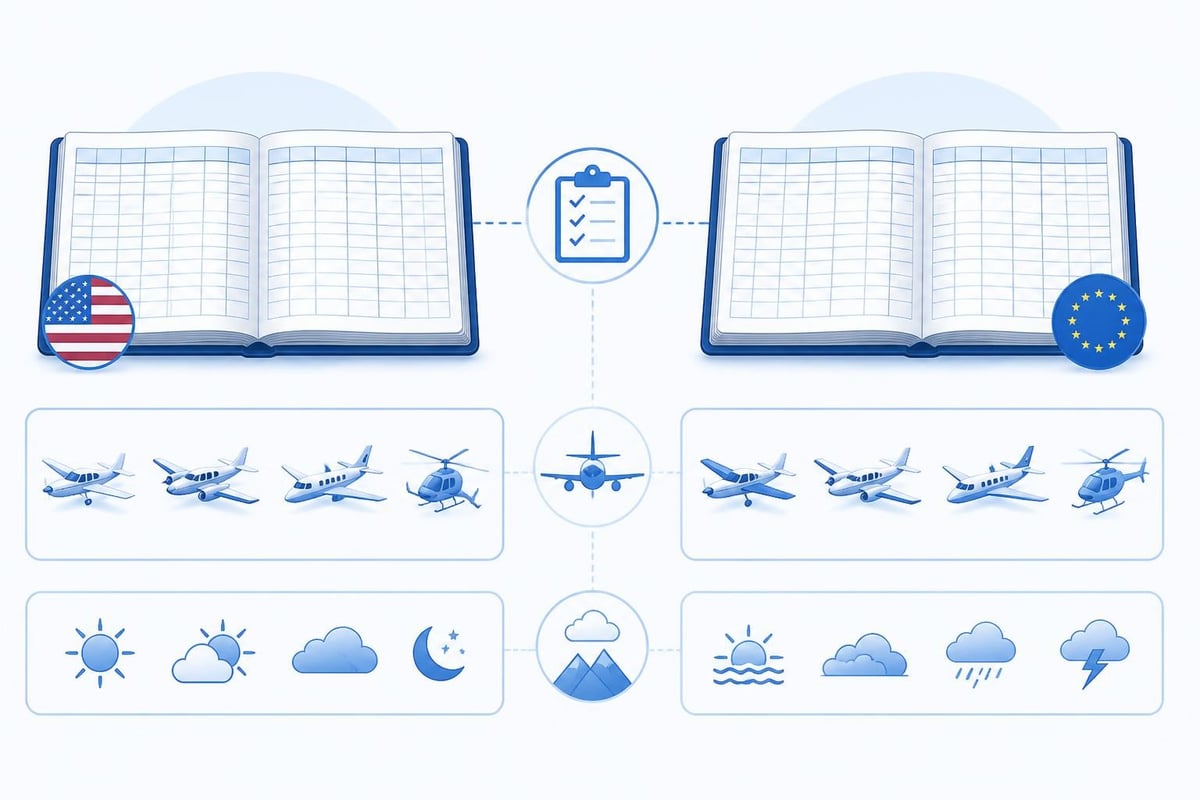
Both FAA and EASA rules mandate that pilots maintain an accurate logbook. Under 14 CFR 61.51, US pilots must log training and aeronautical experience used to meet certificate, rating, or currency requirements. The regulation specifies that you record the date, total flight time, departure and arrival locations, aircraft type and identification, and the name of any safety pilot or instructor.
EASA Part-FCL AMC1 FCL.050 requires similar detail: date, departure and arrival aerodromes, aircraft registration and type, total time of flight, PIC name, and the nature of the flight. You must also log dual instruction, simulator time, and any proficiency checks or skill tests.
Key fields both authorities expect:
- Date and route of flight
- Aircraft type and registration
- Total flight or block time
- PIC time and dual received
- Conditions (day, night, IFR, VFR)
- Landings (day, night, touch-and-go)
- Remarks for unusual events or endorsements
The FAA does not prescribe a specific logbook format, so you may use paper, digital, or both. EASA similarly accepts electronic logbooks provided they are secure and accessible for inspection. Accuracy matters more than format, as falsified or incomplete records can lead to certificate action or prosecution.
Regulations evolve, so confirm current requirements against official FAA or EASA sources before relying on any summary.
Paper vs Digital: Choosing Your Format
The traditional paper logbook remains popular for good reason. It requires no battery, survives software changes, and offers a tangible record you can sign and present at checkrides. Many pilots keep a paper master copy and use digital tools for daily logging and currency tracking.
Digital logbooks bring automation that paper cannot match. They calculate totals instantly, flag currency lapses, and alert you when a medical or flight review expires. They back up to the cloud, sync across devices, and export formatted reports for interviews or insurance.
Advantages of Paper Logbooks
- No technology dependence: always accessible, never crashes
- Physical signature and endorsements: instructors and examiners sign directly
- Familiarity: decades of industry trust and acceptance
- Simplicity: no learning curve, just fill in columns
Advantages of Digital Logbooks
- Automatic totals: no arithmetic errors, instant category breakdowns
- Currency tracking: know exactly when your night or IFR recency expires
- Expiry alerts: licences, medicals, flight reviews flagged 30, 14, or 7 days ahead
- Portability: full logbook in your pocket, exportable to PDF or spreadsheet
- Data integrity: cloud backups protect against loss or damage
Choosing between paper and digital often comes down to workflow. Student pilots may prefer paper during training, then transition to digital once they hold a licence and fly regularly. Others maintain both: digital for daily use, paper as the legal master signed by instructors.
What You Must Log
Not every flight legally requires a logbook entry. The FAA mandates logging only the time you use to meet experience, recency, or currency requirements. In practice, most pilots log everything, as missing entries can complicate proving total time or specific experience later.
You must always log:
- Training flights: any dual instruction received counts towards certificates and ratings
- Solo flights: required for student and sport pilot privileges
- PIC time when carrying passengers: proves you meet 61.57(a) and (b) recency
- IFR time and approaches: needed for instrument currency under 61.57(c)
- Night landings: to maintain night passenger-carrying currency (61.57(b))
- Flight reviews and proficiency checks: 61.56 requires a logbook endorsement every 24 months
Under EASA rules, you log all flights as PIC, co-pilot, or dual received to maintain Part-FCL licence privileges. For example, FCL.060 passenger currency requires three take-offs and landings in the preceding 90 days in the same class or type.
| Requirement | FAA Reference | EASA Reference | Typical Validity |
|---|---|---|---|
| Passenger currency (day) | 61.57(a) | FCL.060(a) | 90 days |
| Passenger currency (night) | 61.57(b) | FCL.060(b) | 90 days |
| IFR currency | 61.57(c) | FCL.625 | 6 months |
| Flight review | 61.56 | n/a (proficiency checks vary) | 24 months |
| Class 1 medical | 67.401 | Part-MED | 6 or 12 months |
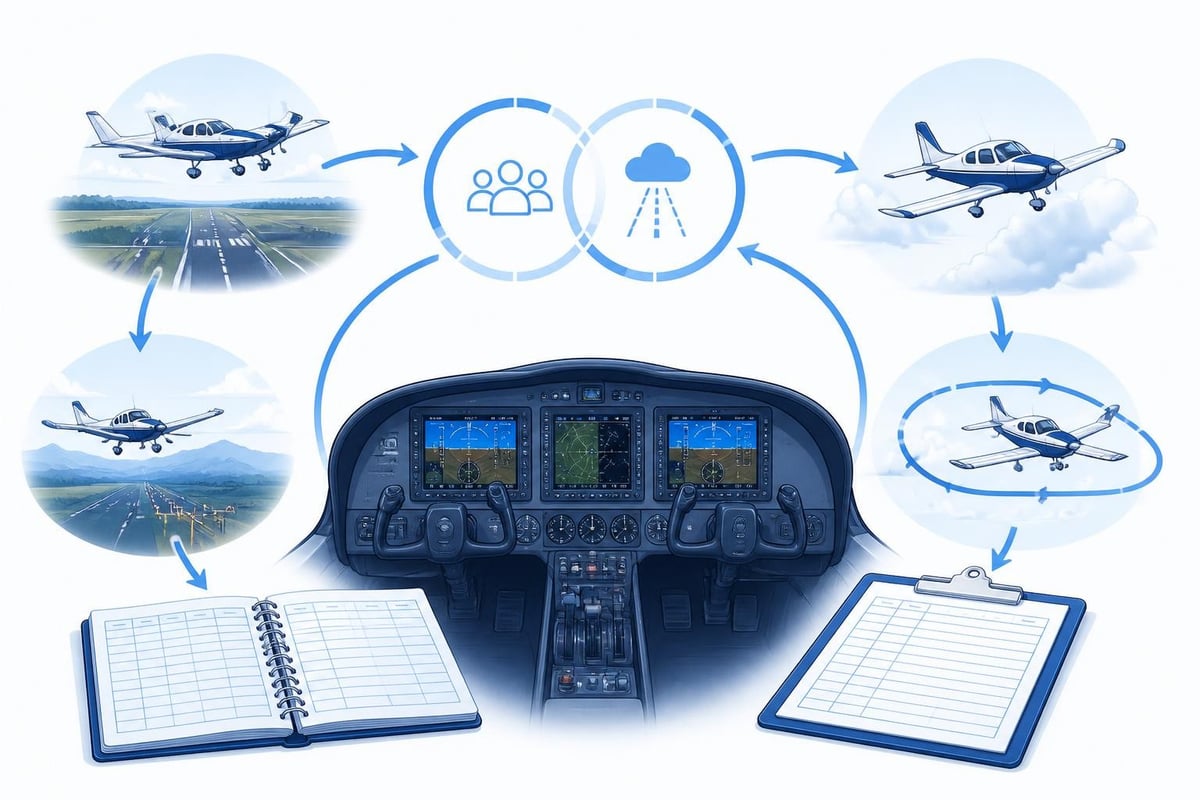
Record each element accurately. If you flew 1.2 hours total with 0.8 under the hood and shot two ILS approaches, log all three figures. That precision proves you meet instrument currency when 180 days roll around.
How to Fill Out a Logbook Entry
A complete entry tells the story of the flight in standard terms. Start with the date in a consistent format, then record departure and arrival aerodromes using ICAO or IATA codes. Note the aircraft type (C172, PA28, A320) and registration.
Break down your time into categories:
- Total flight time: from engine start to shutdown (Hobbs or tach)
- PIC: time you are sole manipulator or acting as PIC under 61.51(e)
- SIC: second-in-command time in operations requiring two pilots
- Dual received: flight instruction logged with a CFI signature
- Solo: time you fly alone as a student or sport pilot
- Cross-country: flights meeting the distance and landing criteria in 61.1(b)(ii)
Log conditions separately: day, night (one hour after sunset to one hour before sunrise), actual instrument, and simulated instrument time. Note the number of landings, distinguishing day from night and full-stop from touch-and-go.
Example entry for a training flight on March 12, 2026:
| Date | Aircraft | Route | Total | PIC | Dual | Day | Night | Inst | Landings | Approaches | Remarks |
|---|---|---|---|---|---|---|---|---|---|---|---|
| 12 Mar 26 | C172S N12345 | KBOS-KORH-KBOS | 1.8 | 0 | 1.8 | 1.8 | 0 | 0.6 | 4 day | ILS RWY 11, VOR RWY 29 | Hood work, steep turns, CFI: J. Smith |
The remarks column captures endorsements, unusual events, or specific manoeuvres. If an instructor signs off a solo cross-country, the endorsement goes here with their signature and certificate number.
Tracking Currency and Limits
Currency rules vary by operation and licence. FAA private pilots need three take-offs and landings within 90 days to carry passengers during the day, plus three to a full stop at night if flying after sunset. Instrument pilots must complete six approaches, holding, and intercepting/tracking within the preceding six months.
Commercial and airline pilots face more complex requirements. Part 117 flight and duty limitations for air carriers include rolling 28-day and 365-day limits: 100 flight hours in 672 consecutive hours, 1,000 flight hours in 365 consecutive days. These totals shift daily, making manual tracking error-prone.
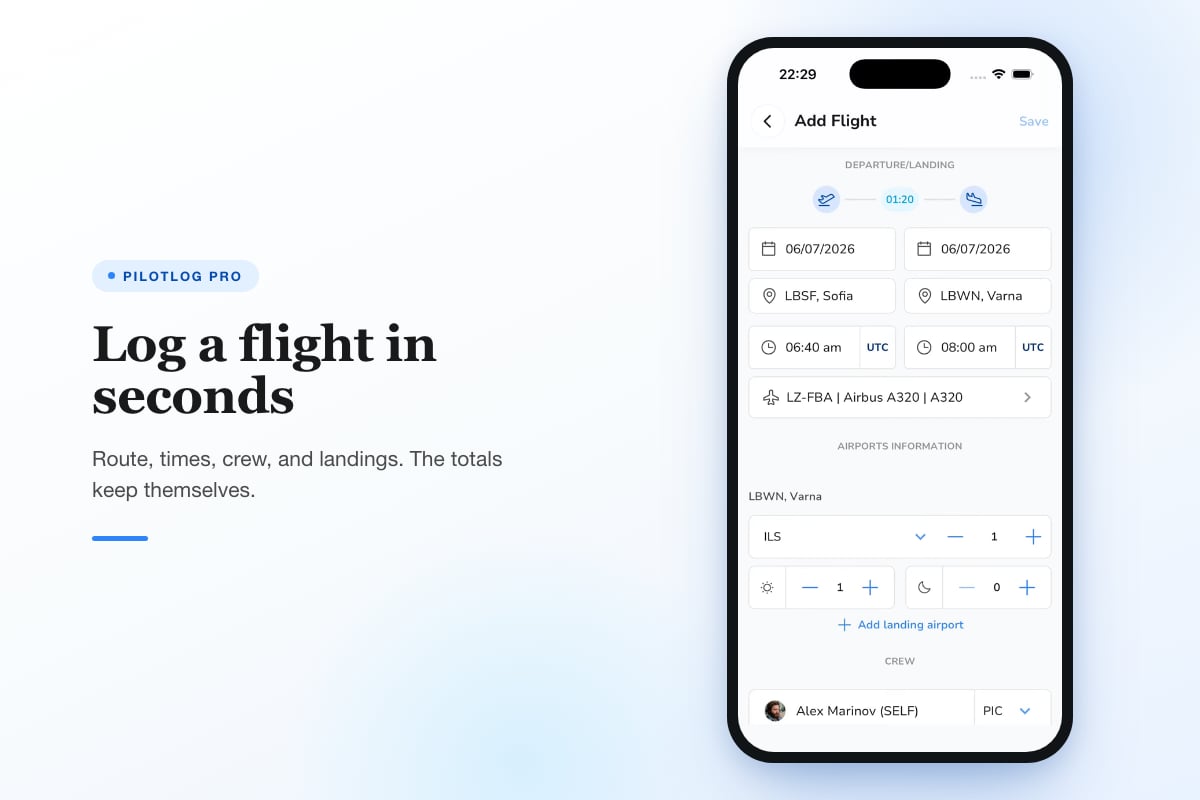
Digital logbook software automates these calculations. You log a flight once, and the system updates all relevant totals: single-engine time, night time, instrument approaches, cross-country distance, and calendar-based currency.
Common Currency Requirements
- SEP passenger (day): three take-offs and landings in 90 days
- SEP passenger (night): three full-stop landings one hour after sunset in 90 days
- IFR: six approaches, holding, intercepting/tracking in six months (or instrument proficiency check)
- Flight review: one flight review with a CFI every 24 months (61.56)
- Instrument proficiency check: if IFR currency lapses beyond six months (61.57(d))
Keeping track manually means recounting entries and summing columns every time you book a flight with passengers or plan an IFR trip. Digital tools flag lapses before they occur, showing "night currency expires in 8 days" or "IFR current until June 15, 2026."
For pilots managing duty limits or medical expiries across multiple licences, Pilotlog Pro tracks rolling 28-day and 365-day totals, passenger and instrument currency with exact lapse dates, and licence or medical expiry alerts. You log flights in seconds, and Pro handles the rest.
Endorsements and Instructor Signatures
Certain milestones require an instructor's signature in your logbook. Under 61.87, a student pilot must have an endorsement for solo flight, another for each make and model, and separate endorsements for solo cross-country flights. Each endorsement includes the instructor's name, certificate number, expiration date, and signature.
Flight reviews (61.56) and instrument proficiency checks (61.57(d)) also demand a logbook entry and signature. The endorsement must state the pilot has satisfactorily completed the review or check, meeting all applicable requirements.
Standard endorsement language from FAA Advisory Circulars:
"I certify that [pilot name], [certificate number], has received and logged training time within 2 calendar months preceding the month of this endorsement in preparation for the private pilot practical test. I have determined they are prepared for the required practical test."
Keep these endorsements legible and complete. Examiners review them during checkrides, and any missing or incomplete entry can delay or invalidate the test.
EASA examiners similarly check logbook signatures after skill tests and proficiency checks. The signature proves the instructor verified your competence and authorised the next privilege or rating.
Converting Paper to Digital
Many pilots carry years of paper logbook entries they want in digital format. Digitising a paper logbook involves scanning or photographing each page, extracting the data, and entering it into software.
Steps to migrate your logbook:
- Photograph or scan each page: high-resolution images capture all columns and remarks
- Extract the data: type entries into a spreadsheet or import using OCR tools
- Verify totals: cross-check column sums against your paper totals
- Import to digital logbook: upload CSV or manually enter flights
- Backup both formats: keep paper in a safe location and export digital backups monthly
Some pilots hire services to digitise thousands of hours, while others enter key flights manually and go digital from a specific date forward. Either way, maintain the paper original as the legal master until you have full confidence in your digital records.
Logbook Inspections and Audits
Examiners, instructors, and airline recruiters all request logbook access. You must present your logbook during practical tests, and 61.51(i) requires you to make it available to the FAA or NTSB upon request.
Airlines verify total time, type ratings, and recent experience before hiring. They cross-reference your logbook against training records, checking for gaps, arithmetic errors, or suspicious entries. Falsified time can end a career and result in certificate revocation.
Keep your logbook current and accurate. Log flights within a few days while details are fresh, and review totals monthly. If you discover an error, correct it with a single line through the mistake, the correct value above, and your initials. Never erase or white out an entry.
<image_prompt alt="Logbook audit process">What examiners and recruiters verify during logbook inspections: total time accuracy, currency compliance, endorsement completeness, and suspicious gaps</image_image_prompt>
Digital logbooks simplify audits by generating instant reports. Export a summary showing total time by category, landings by type, and endorsements with dates. The system's automatic totals reduce arithmetic errors and flag inconsistencies.
Backup and Data Security
Losing your logbook, whether to fire, theft, or hard drive failure, can derail your career. The FAA requires only that you reconstruct as much time as possible, but proving 2,000 hours of single-engine or 500 hours of cross-country without records is difficult and time-consuming.
Paper logbook users should photocopy or scan pages quarterly, storing copies in a separate location. Digital pilots must export backups regularly and save them to cloud storage, external drives, or email.
Modern digital logbook apps sync to the cloud automatically, so every entry is backed up within minutes. Some offer export to PDF, CSV, or proprietary formats, ensuring you can migrate data if you switch platforms.
Backup best practices:
- Export your logbook monthly to PDF and CSV
- Store backups in three locations (cloud, external drive, email)
- Test your backups by importing a sample into fresh software
- Keep paper copies of endorsements and checkride sign-offs
- Review backup integrity after every 50-100 flight entries
If you fly professionally, consider logging the same flights in both a paper master and a digital tool. The redundancy costs little time and protects against total loss.
Choosing the Right Logbook for Your Stage
Student pilots benefit from simple paper logbooks with clear columns for dual, solo, and cross-country time. At this stage, you log every flight, and instructors sign frequently. A dedicated student logbook often includes space for endorsements and presolo knowledge test results.
Once you hold a private or commercial licence, your needs shift. You track currency, log various aircraft types, and may fly for hire. Digital tools handle the complexity, calculating night currency across multiple aircraft and alerting you when your next flight review is due.
Airline and corporate pilots juggle multiple type ratings, international flights, and strict duty limits. They need logbooks that handle ICAO airports, track Part 117 or EU FTL compliance, and generate reports for base checks or line training.
| Pilot Stage | Recommended Logbook | Key Features |
|---|---|---|
| Student | Paper logbook | Endorsement space, simple columns, instructor signature blocks |
| Private/Commercial | Digital with paper backup | Currency tracking, automatic totals, cloud sync |
| CFI | Digital with detailed student tracking | Dual given, endorsement templates, export for FAA inspections |
| Airline/Corporate | Professional digital suite | Multiple type ratings, duty limits, international airports, crew scheduling integration |
Match your logbook to your operation. A weekend VFR pilot does not need Part 117 tracking, and a 737 captain should not rely on a paper spiral notebook.
Long-Term Record Keeping
Your logbook follows you from first solo to retirement. Airlines, insurers, and regulatory authorities may request records decades after a flight. The FAA recommends retaining logbooks permanently, even after you stop flying.
As you accumulate thousands of hours, consider summarising older entries. Transfer totals from filled logbooks to a summary page in your current book, noting "previous total time: 1,500 hours as of January 1, 2020, detailed in Logbook Volumes 1-3." Keep the old volumes accessible.
Digital logbooks never run out of pages. They store unlimited entries and generate summaries on demand. Archive exports annually, labelling them by year, and store them alongside your scanned paper records.
Some pilots donate old logbooks to aviation museums or historical societies. Others keep them as personal records, reviewing them years later to recall routes, aircraft, and instructors. Either way, your logbook is a career document worth preserving.
Common Mistakes to Avoid
Even experienced pilots make logbook errors. Forgetting to log night landings, miscounting approaches, or failing to record an endorsement can cause headaches during checkrides or currency checks.
Frequent errors:
- Logging night time incorrectly (must be after sunset, not just during darkness)
- Counting simulated instrument time without a safety pilot or instructor
- Recording cross-country flights that don't meet the 50 nm straight-line distance for private or higher
- Failing to log the instructor's signature and certificate number for dual received
- Rounding flight times too aggressively (always round down or log exact decimal hours)
Review your entries weekly. Cross-check totals against aircraft rental invoices or Hobbs readings. If you notice a pattern of errors, adjust your logging routine before they accumulate.
How Logbooks Support Your Career
Beyond regulatory compliance, your logbook tells your professional story. It shows employers the aircraft you have flown, the conditions you have handled, and the experience you bring. A logbook with 200 hours of actual instrument time and 50 approaches in the past year proves IFR proficiency. A record of consistent monthly flying demonstrates recency and engagement.
Recruiters and hiring managers spot patterns. Gaps of six months or more raise questions. Steady flight time across varied aircraft and conditions signals a committed, versatile pilot. Log your time accurately, and your logbook becomes a career asset, not just a legal obligation.
Students applying to airline cadet schemes often submit logbook summaries with their applications. The summary shows total time, PIC hours, cross-country experience, and instrument time at a glance. Digital logbooks generate these reports instantly, formatted to industry standards.
Your logbook is both proof of compliance and a record of every flight you command. It must be accurate, complete, and accessible throughout your flying career. Whether you log in paper, digital, or both, make it a habit to record each flight within days, verify your currency regularly, and back up your data. Pilotlog keeps you current, legal, and ready by logging flights in seconds, tracking rolling limits and currency, and alerting you before licences or medicals expire.
- logbook requirements
- faa 61.51
- easa part-fcl
- digital logbook
- pilot currency
A logbook that keeps itself.
Join the waitlist and be first in line when Pilotlog launches.
Free to join, no spam. Unsubscribe any time.