flight time tracking
My Flights: How to Track, Log, and Manage Flight Time
31 Jul 2026 · 14 min read

Tracking my flights means more than filling boxes in a logbook. It means building a complete, auditable record of flight time, maintaining currency, and ensuring you stay legal. For licensed pilots and students alike, every flight entry supports future applications, rating upgrades, and regulatory compliance. Whether you log on paper or digitally, the quality of your flight records directly affects your career progression and operational readiness.
Why My Flights Matter for Career and Compliance
Every flight you log becomes part of your permanent professional record. Airlines, charter operators, and insurers all examine your flight history during hiring or renewal processes. Your logbook must demonstrate not only total hours but also specific experience: PIC time, cross-country, instrument approaches, night landings, and type ratings.
Regulatory authorities also require accurate records. The FAA mandates specific logbook entries under 14 CFR 61.51, while EASA Part-FCL AMC1 FCL.050 sets out detailed logging requirements. Both frameworks demand legibility, traceability, and retention for the duration of your flying career. A poorly maintained logbook can delay applications, trigger audits, or even invalidate claimed experience.
Beyond compliance, my flights form the foundation for currency tracking. Passenger currency under FAA rules requires three takeoffs and landings in the preceding 90 days in the same category, class, and type (if a type rating is required). Night currency adds another layer: those three takeoffs and landings must occur between one hour after sunset and one hour before sunrise. EASA Part-FCL.060 similarly requires three takeoffs and landings in 90 days, with additional recency requirements for specific privileges.
Building a Logbook That Stands Up to Scrutiny
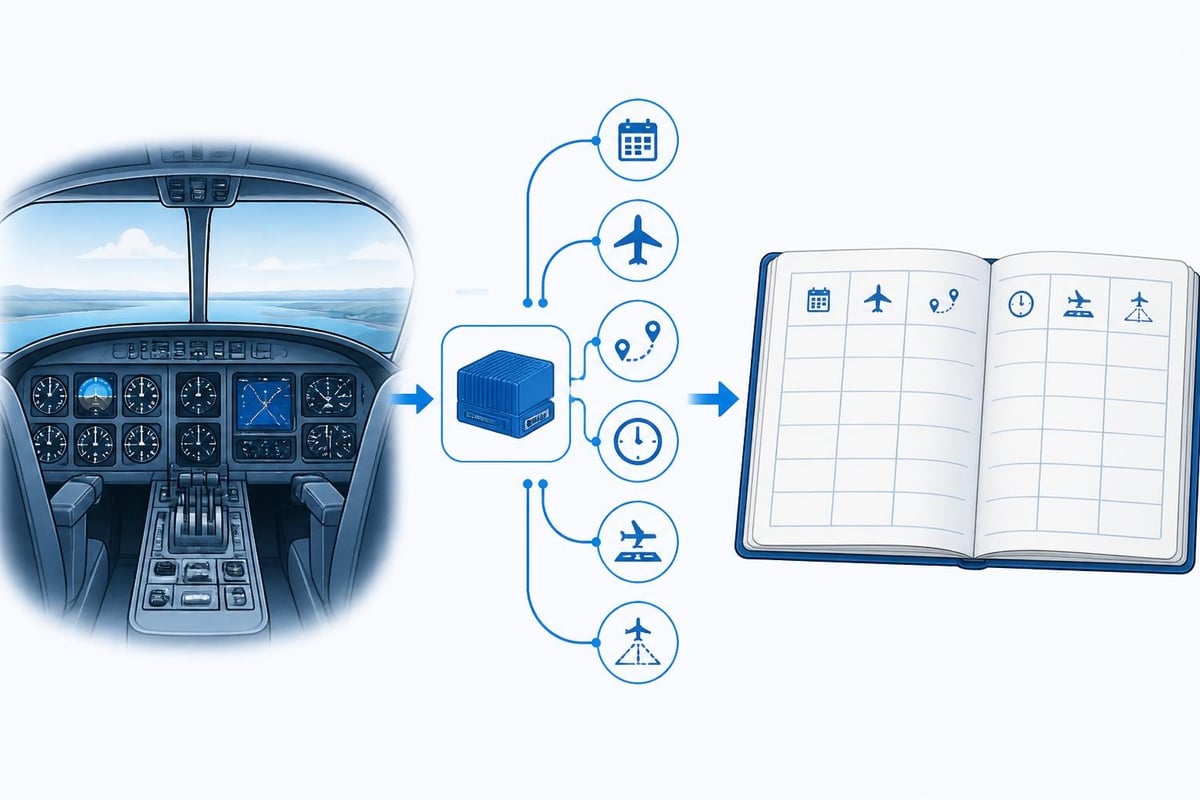
Professional logbooks share common traits: consistency, completeness, and clarity. Each entry should capture the essentials without ambiguity.
Core data for every flight:
- Date of flight
- Aircraft registration and type
- Departure and arrival aerodromes
- Block time or flight time (depending on regulatory framework)
- Landings (day and night, separately)
- PIC, dual, or solo time as appropriate
- Instrument time (actual or simulated)
- Remarks for notable events, approaches, or endorsements
Many pilots also track additional columns: cross-country time, multi-engine time, turbine time, and specific approach types. These categories become critical when applying for advanced ratings or airline positions. A well-structured pilot logbook anticipates future needs, not just current requirements.
When recording my flights, precision matters. Round times to the nearest tenth of an hour for consistency. Use ICAO codes for aerodromes to avoid confusion. Note the pilot function clearly: if you flew as PIC under supervision, log it as dual received, not solo PIC. If you performed an instrument approach, specify the type (ILS, RNAV, VOR) and whether it was flown to minimums.
Digital vs. Paper: Tracking My Flights in 2026
Paper logbooks still meet regulatory requirements, but digital solutions offer advantages that extend beyond simple record-keeping. The choice depends on your flying activity, career stage, and need for real-time currency tracking.
| Aspect | Paper Logbook | Digital Logbook |
|---|---|---|
| Regulatory acceptance | Fully compliant (FAA, EASA, CAA) | Compliant with backup requirements |
| Currency calculations | Manual, prone to error | Automatic, updated live |
| Expiry alerts | None | Proactive notifications |
| Data security | Single point of failure | Cloud backup, redundancy |
| Career summaries | Time-consuming to compile | Instant reports |
Paper logbooks require meticulous manual updates. You calculate currency by flipping back through entries, counting landings, and tracking 90-day windows. Medical and licence expiries demand separate calendars or reminders. The process works, but it consumes time and introduces risk. A single arithmetic error can leave you non-current without realizing it.
Digital logbooks automate the tracking burden. Enter a flight once, and the system updates totals, recalculates currency, and flags upcoming expiries. Choosing the right digital logbook depends on feature set, regulatory compliance, and data portability. Some platforms focus on basic logging; others integrate duty-time monitoring, route mapping, and multi-crew operations.
When transitioning from paper to digital, accuracy during migration is critical. Transfer every entry, verify totals, and keep the original paper logbook as the legal document of record until the digital version is complete and backed up. Both FAA and EASA accept digital logbooks provided you maintain secure, accessible backups and can produce records on demand.
Tracking Flight Time Limits and Duty Periods
Professional pilots face more than currency requirements. Flight-time limitations and duty-period regulations govern how much you can fly in rolling windows. FAA Part 117 sets limits for airline pilots: 100 hours in 672 consecutive hours (28 days), 1,000 hours in 365 days. EASA ORO.FTL.210 similarly restricts flight duty periods and mandates rest.
Monitoring these limits manually means maintaining spreadsheets or wall charts. Digital tools track rolling windows automatically, flagging when you approach limits. This becomes essential for pilots working multiple contracts, freelance ferry flights, or rotational schedules.
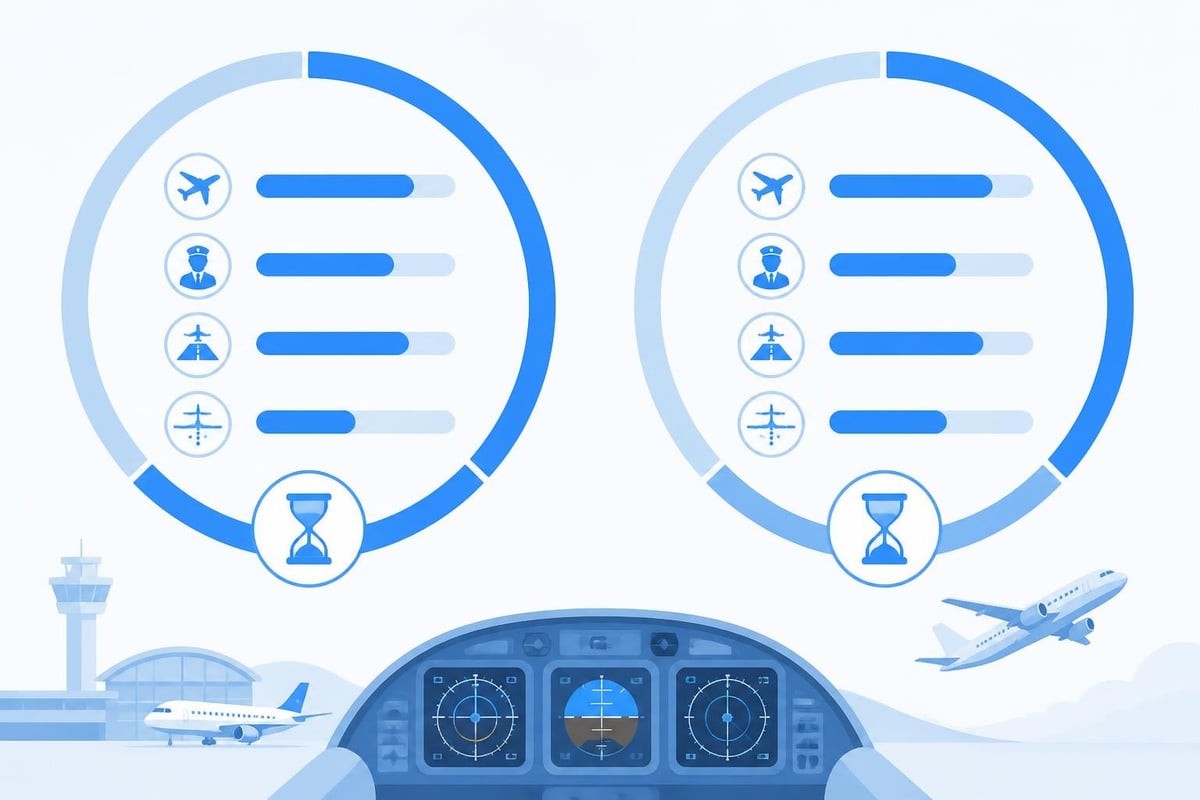
My flights contribute to these totals every sector, every leg. A robust tracking system calculates the windows in real time, preventing overruns and ensuring compliance. For pilots managing complex schedules, this visibility protects both the individual and the operator from inadvertent breaches.
Logging My Flights for Specific Ratings and Endorsements
Different ratings demand different logging precision. A private pilot building cross-country time logs every flight over 50 nautical miles from departure. An instrument rating applicant must demonstrate 40 hours of actual or simulated instrument time (FAA Part 61.65) or 50 hours under EASA Part-FCL.625.
Rating-specific logging priorities:
- Instrument rating: Log each approach type, actual vs. simulated IMC, safety pilot details
- Multi-engine rating: Separate single-engine and multi-engine columns, note engine-out training
- Type rating: Track time on type, distinguish PIC type-rated from supervised line training
- Instructor rating: Log dual given, endorsements issued, ground instruction hours
Each regulatory framework defines exactly what counts. FAA cross-country time requires a landing more than 50 nm from departure (or 25 nm for rotorcraft). EASA cross-country under FCL.010 means a flight with a landing away from the departure aerodrome, using navigation by reference to landmarks or radio aids. The definitions differ; your logbook must reflect the applicable rule.
When logging my flights for a specific application, tag entries accordingly. If you flew an ILS approach that you intend to count toward instrument currency, note it explicitly. If a cross-country flight fulfills aeronautical experience requirements, ensure the distance and landing are clearly recorded. Ambiguity costs time during verification.
Maintaining Currency: The 90-Day and IFR Requirements
Currency rules keep skills sharp and passengers safe. FAA 14 CFR 61.57(a) requires three takeoffs and landings in 90 days to carry passengers. For night currency, those landings must occur in the period from one hour after sunset to one hour before sunrise. EASA Part-FCL.060 aligns closely: three takeoffs and landings in 90 days for passenger carriage.
IFR currency adds complexity. FAA pilots must log six instrument approaches, holding procedures, and intercepting/tracking courses within the preceding six calendar months. If currency lapses, an instrument proficiency check (IPC) restores privileges. EASA similarly requires specific instrument recency under FCL.625: either route flying or periodic proficiency checks.
Tracking these requirements manually is tedious. You count back 90 days, tally landings by day and night, then cross-check instrument approaches. Miss a single entry and your count is wrong. A digital pilot logbook recalculates currency after every flight, displaying exactly how many days remain and what maneuvers are needed.
Building a Currency Dashboard for My Flights
Visualizing currency status transforms reactive logging into proactive planning. Instead of calculating whether you are current before each flight, a dashboard shows real-time status across all categories.
Key currency indicators:
- Passenger currency (day): landings in last 90 days, days until lapse
- Passenger currency (night): night landings in last 90 days, days until lapse
- IFR currency: approaches, holds, tracking in last 6 months, date of expiry
- Flight review or proficiency check: date of last completion, months remaining
This visibility allows you to schedule currency flights before lapses occur. If your night currency expires in 14 days and weather is forecast to deteriorate, you prioritize a local night session. If your IFR currency requires two more approaches, you add them to your next cross-country.
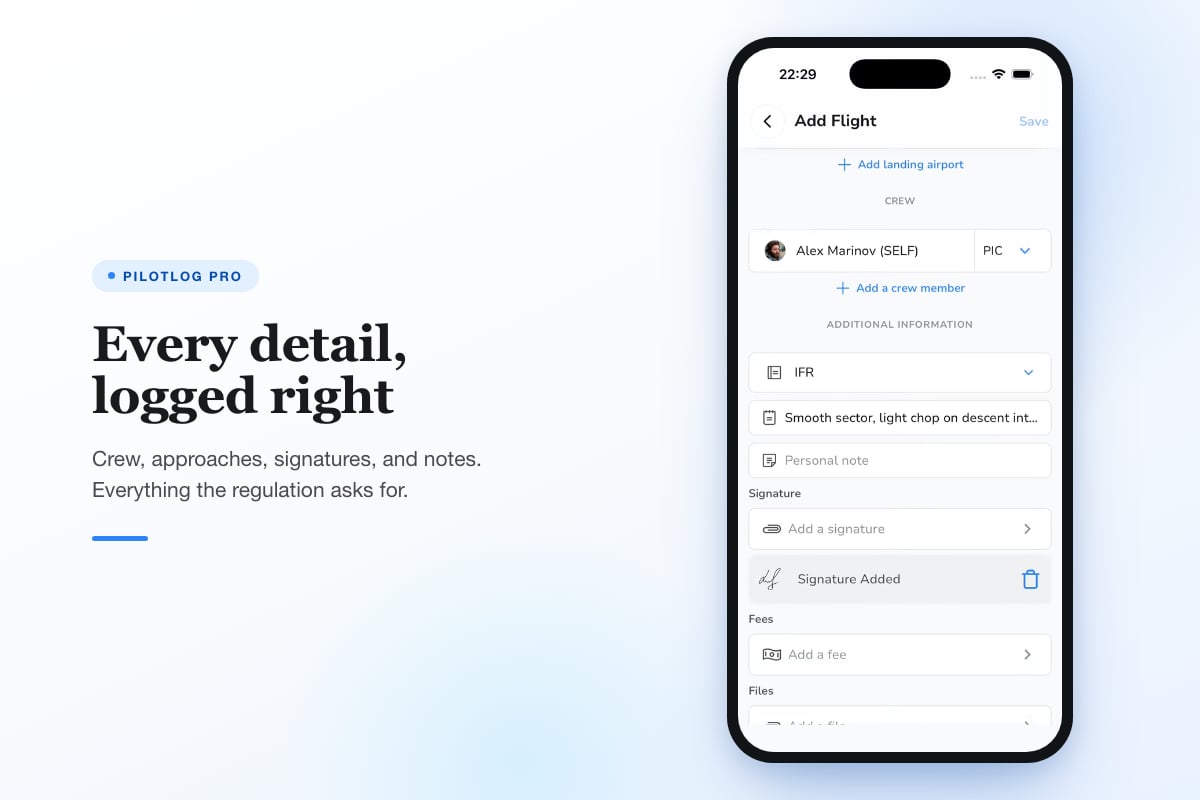
Pilotlog Pro tracks all of these windows automatically. It calculates rolling 28-day and 365-day flight-time limits, monitors passenger and IFR currency, and alerts you when licences or medicals approach expiry. Built for pilots across the whole career, from students to airline crew, Pilotlog Pro ensures nothing catches you by surprise.
Managing Licence and Medical Expiries Through My Flights
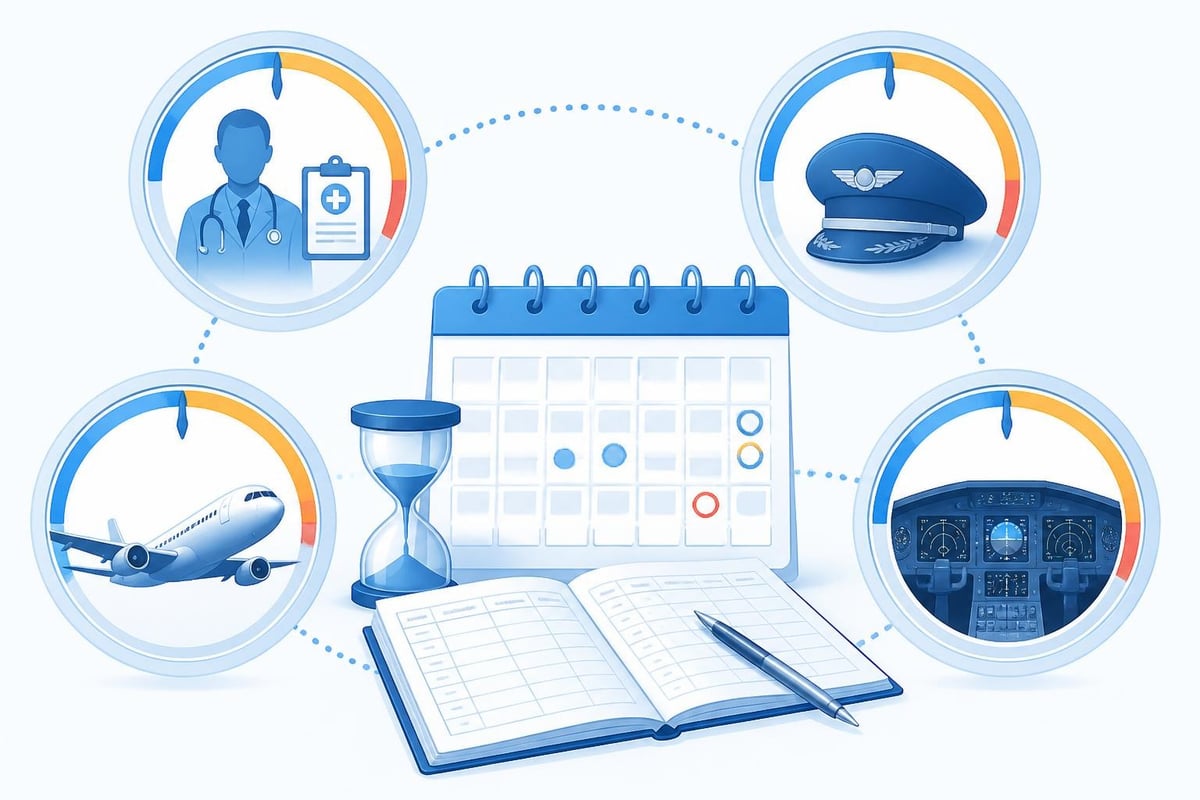
Licences and medicals expire on fixed cycles, independent of flight activity. A Class 1 medical issued at age 32 remains valid for 12 months. An EASA PPL revalidates every 24 months, subject to recent flight experience and a proficiency check. Missing a renewal date can ground you until paperwork is complete.
Recording expiry dates in my flights logbook creates a single source of truth. Digital platforms link expiries to the calendar, issuing alerts 60, 30, and 14 days before lapse. This advance warning allows you to book medicals, schedule proficiency checks, and gather required documents without last-minute stress.
Different licence types have different revalidation rules. EASA Part-FCL.740 governs PPL revalidation: you must complete 12 hours in the preceding 12 months, including six as PIC and a training flight with an instructor. FAA pilot certificates do not expire, but you must complete a flight review every 24 months under 14 CFR 61.56. Instrument ratings require the six-month currency mentioned earlier.
Your logbook must capture the hours and maneuvers that satisfy revalidation. When the renewal comes due, you produce a summary proving compliance. If you fall short, you know in advance and can plan remedial training.
Exporting and Sharing My Flights Data
Career transitions, insurance applications, and regulatory audits all demand logbook summaries. Airlines request total hours broken down by category, class, and condition (VFR, IFR, night). Insurers ask for recent experience in type. Regulators audit compliance with duty-time and currency rules.
Generating these summaries from a paper logbook means manual addition and transcription. Digital logbooks export data in seconds: PDF summaries, CSV files, or direct integration with third-party platforms. Understanding logbook legalities ensures your exports meet regulatory and professional standards.
When sharing my flights data, verify the format required. Some airlines use proprietary application portals; others accept standardized PDFs. Insurers may want only the last 12 months; regulators may request your entire history. Export flexibility matters.
Data portability also protects against platform lock-in. If you switch logbook systems, you must migrate entries without losing detail. Best practices for digitizing logbooks emphasize clean data export, structured backups, and audit trails that preserve chronological integrity.
Common Errors When Logging My Flights
Even experienced pilots make logbook mistakes. Catching errors early prevents compounding problems later.
Frequent logging pitfalls:
- Forgetting to log night landings separately from day landings
- Rounding flight time inconsistently (some entries to 0.1, others to 0.01)
- Omitting approach types or counting non-precision approaches as precision
- Logging dual received and PIC time for the same flight segment
- Failing to record endorsements or instructor signatures for required training
Consistency is the antidote. Establish a routine: log immediately after shutdown, verify totals weekly, and audit currency monthly. If you discover an error, correct it with a single line-through (in paper logbooks) or a dated amendment note (in digital systems). Never erase or obscure original entries; regulators treat alterations as red flags.
Cross-checking my flights totals against independent records also helps. Compare your logbook hours with aircraft Hobbs or Tach time records. If you flew a club aircraft, match your entries to the club's dispatch sheet. Discrepancies reveal either logging errors or aircraft instrument issues.
Integrating My Flights with Training and Career Planning
Your logbook is more than a legal record; it is a career planning tool. Tracking my flights reveals patterns, identifies gaps, and guides progression.
A student pilot aiming for 250 hours for a commercial licence can chart progress week by week. A regional first officer building turbine PIC time toward an airline application can monitor the path to 1,500 hours. An instructor accumulating dual given can track progress toward 1,000 hours of instruction for ATP eligibility.
| Career Milestone | Typical Hour Requirement | Key Categories to Track |
|---|---|---|
| Private Pilot Licence (FAA) | 40 hours minimum | Solo, cross-country, night, dual |
| Commercial Pilot Licence (FAA) | 250 hours | PIC, cross-country >250 nm, night, instrument |
| Airline Transport Pilot (FAA) | 1,500 hours | Total time, multi-engine, PIC, cross-country |
| Type rating (jet) | Varies by operator | Time on type, approaches, landings |
Digital logbook analytics highlight trends. If your average monthly hours drop, you see it immediately. If you have not logged an instrument approach in 90 days, the system flags the gap. This feedback loop keeps your flying aligned with goals.
Understanding digital logbook requirements across different regulatory frameworks ensures your system supports both current operations and future transitions. EASA and FAA rules differ in details; a logbook that accommodates both provides flexibility as your career evolves.
Backup, Security, and Long-Term Preservation of My Flights
Logbooks are irreplaceable. Lose your records and you lose proof of experience. Backup strategies must match the value of the data.
Paper logbooks require photocopying every few months. Store copies in separate locations: home, flight bag, and a secure offsite archive. Some pilots scan pages and save PDFs to cloud storage.
Digital logbooks demand more robust backup. Cloud synchronization protects against device loss, but you must also export periodic backups to external media. Regulatory frameworks for digital logbooks require that data remains accessible and auditable even if the platform ceases operation.
Security also matters. Logbooks contain personal data: dates of birth, medical information, and address details. Encrypt backups, use strong passwords, and enable two-factor authentication on accounts. Treat your logbook with the same care you apply to financial records.
Long-term preservation means ensuring my flights data remains readable decades from now. File formats change, software becomes obsolete, and platforms shut down. Export to open standards (CSV, PDF/A) regularly. Maintain copies in multiple formats to future-proof your records.
Practical Tips for Logging My Flights More Effectively
Small habits improve logbook quality and reduce overhead.
Efficiency tips:
- Log immediately after each flight while details are fresh
- Use standard abbreviations consistently (PIC, SIC, NVFR, IMC, ILS, RNAV)
- Record unusual events in remarks: turbulence, diversions, system failures
- Photograph or scan receipts for commercial flights or ferry permits
- Review totals monthly against an independent source (aircraft records, club logs)
Pre-fill repetitive fields to save time. If you fly the same aircraft daily, create a template with registration, type, and category pre-entered. If you operate from the same base, set default departure and arrival codes.
For instructors logging dual given, note the student's name and endorsement type. For multi-crew operations, identify the other pilot and their function. These details prove invaluable when reconstructing events years later.
Regularity matters more than perfection. A logbook updated weekly is better than one updated monthly, even if some entries require later refinement. Build the habit, and accuracy follows.
Leveraging My Flights for Proficiency and Safety
Beyond compliance, my flights data drives self-assessment. Reviewing your logbook reveals operational patterns that affect safety.
How many of your landings in the past 90 days were in crosswinds above 15 knots? How often do you hand-fly vs. using autopilot? How many hours since your last instrument approach in actual IMC? These insights shape recurrent training priorities.
Logbooks also document near-misses, go-arounds, and unusual occurrences. Recording these events creates a personal safety database. Over time, patterns emerge: certain weather conditions, times of day, or phases of flight that challenge you. Targeted training addresses these gaps.
Comparing my flights data with peers (anonymously, through aggregated industry data) benchmarks your experience. If you log 80 hours annually and the median for your role is 200, you identify a currency risk. If your multi-engine hours trail industry norms, you target specific training.
Final Considerations: Rules Change and Verification Matters
Regulatory requirements evolve. FAA rules change through rulemaking; EASA Part-FCL sees periodic amendments. What is current in 2026 may differ by 2027. Always confirm currency, medical, and logging requirements against the latest official sources before relying on this or any guidance.
Pilots bear responsibility for maintaining accurate, compliant records. Regulators accept no excuses for errors, omissions, or falsifications. Treat every entry in my flights logbook as a professional, legal statement. Sign it, date it, and stand behind it.
Your logbook accompanies you across your entire career. Invest the time to maintain it properly, and it becomes an asset that opens doors, supports applications, and proves your qualifications without question.
Tracking my flights well means staying current, legal, and ready without constant manual calculation. Whether you log on paper or digitally, the goal is the same: an accurate, auditable record that supports your flying today and your career tomorrow. Pilotlog keeps all your flight data, currency, and expiries in one place, with automatic tracking and timely alerts so nothing catches you by surprise.
- flight time tracking
- pilot logbook
- digital logbook
- flight currency
- logbook compliance
A logbook that keeps itself.
Join the waitlist and be first in line when Pilotlog launches.
Free to join, no spam. Unsubscribe any time.