how to fill out pilot logbook
How to Fill Out Pilot Logbook: Complete Guide 2026
7 Aug 2026 · 14 min read

Knowing how to fill out pilot logbook entries correctly keeps you legal, current, and ready for checkrides or job interviews. The FAA mandates specific information under 14 CFR 61.51, including date, aircraft identification, departure and arrival points, flight time, and the type of pilot experience gained. Each entry must be accurate because your logbook serves as the legal record of your aeronautical experience and forms the basis for certificate applications, currency compliance, and insurance requirements.
Your logbook is both a regulatory document and a career record. It proves you meet minimum hour requirements for certificates and ratings, demonstrates recency of experience for carrying passengers, and shows prospective employers your flight background. Understanding the required fields, logging conventions, and common pitfalls makes the difference between a professional record and one that raises questions during an audit or interview.
Required Logbook Entries Under FAA Rules
The FAA specifies exactly what you must log in 14 CFR 61.51. These requirements apply whether you use a paper logbook or a digital pilot logbook system.
Mandatory Fields for Every Flight
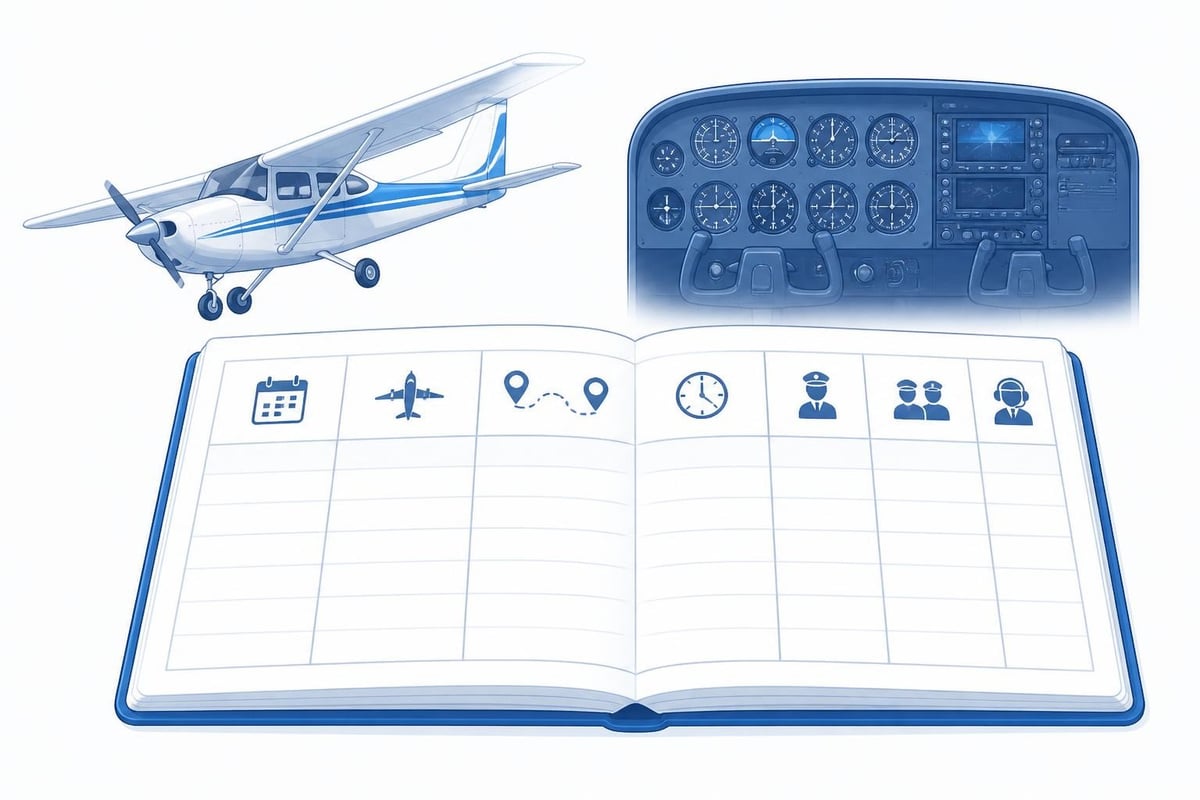
Every logbook entry must include:
- Date of flight
- Total flight time or lesson time
- Location where the aircraft departed and arrived (or for lessons, the location where the lesson occurred)
- Type and identification of aircraft
- Name of a safety pilot, if required
- Type of pilot experience or training received
You must also log the conditions of flight: day or night, and whether the flight was conducted under VFR or IFR. Solo time, pilot-in-command (PIC) time, second-in-command (SIC) time, flight and ground training received, and instrument time all require separate columns or clear notation.
Pilot-in-Command Time
You may log PIC time when you are the sole manipulator of the controls of an aircraft for which you are rated, when you are the sole occupant, when you act as PIC on a flight requiring more than one pilot, or when you are a flight instructor providing instruction. The regulation is specific: being rated means holding the appropriate category, class, and type rating if required.
A common question involves safety pilots. When you fly under the hood with a safety pilot, you log PIC time as sole manipulator if you hold the appropriate ratings. The safety pilot may also log PIC time as the acting PIC who is required crew. Both entries are legal under different provisions of the same regulation.
Instrument Time and Approaches
Log actual instrument time only when you control the aircraft solely by reference to instruments in IMC. Simulated instrument time counts when you wear a view-limiting device and a safety pilot is aboard. Each requires clear notation in your logbook.
For instrument currency, you must log the location, type of approach, and whether you flew the approach in actual or simulated conditions. Many pilots use shorthand: "KBOS ILS 4R (A)" means an ILS approach to runway 4R at Boston Logan in actual IMC. This level of detail matters when an examiner or employer reviews your currency.
How to Fill Out Pilot Logbook Columns Correctly
Understanding each column prevents errors that can invalidate hours or create currency gaps. Most logbooks follow a standard layout, though choosing the right format depends on your flying style and certificate level.
Aircraft Identification and Type
Record the aircraft make, model, and registration. For example: "C172S N12345" or "PA28-181 G-ABCD". The type matters for insurance requirements and type-specific hour totals. Multi-engine time, turbine time, and complex or high-performance endorsements all depend on accurate aircraft identification.
If you fly the same aircraft frequently, consistency matters. Always use the same format so totals are easy to verify.
Route of Flight
Record departure and arrival airports using ICAO or IATA codes when possible. "KBOS-KASH" is clearer than "Boston to Nashua" and takes less space. For local flights, you can write "KBOS (local)" or list the practice area. Cross-country time has specific definitions under Part 61, so your route must show flights that meet the regulatory distance requirements.
Time Calculations
| Time Category | What to Log | Common Errors |
|---|---|---|
| Total Time | Hobbs or tach time from engine start to shutdown | Logging block time instead of flight time |
| PIC Time | Time as sole manipulator or acting PIC | Logging PIC when not rated in that category/class |
| Dual Received | Time with a CFI providing instruction | Forgetting CFI signature and certificate number |
| Solo | Time as sole occupant | Logging solo when safety pilot is aboard |
| Cross-Country | Flights meeting 61.1(b) distance requirements | Logging short flights that don't meet minimums |
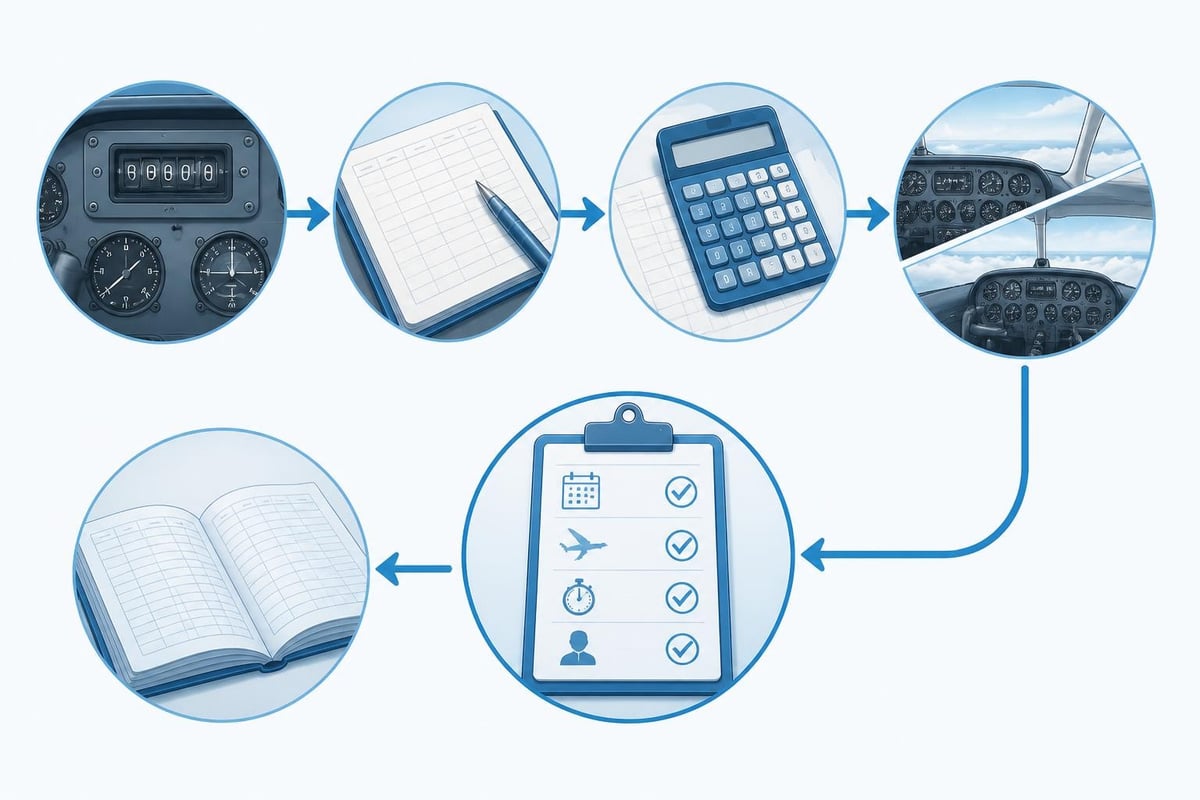
Always calculate time to the nearest tenth of an hour. If you fly for 1 hour 12 minutes, log 1.2 hours. Some pilots round to .1 increments, but precise calculation shows professionalism and ensures accurate totals.
Landings and Approaches
Record the number of day and night landings separately. For currency purposes, night landings must occur between one hour after sunset and one hour before sunrise. Full-stop landings count for passenger-carrying currency in tailwheel aircraft.
Log each instrument approach with enough detail to prove currency: the approach type, runway, and whether it was actual or simulated. If you shoot three approaches on one flight, your entry might read "3 approaches: KBOS ILS 4R (A), LOC 27 (S), KASH RNAV 14 (S)".
Common Mistakes When Filling Out a Logbook
Even experienced pilots make logbook errors. Knowing the most frequent mistakes helps you avoid them from the start.
Incomplete Endorsements
Every endorsement for a checkride, flight review, high-performance, complex, or tailwheel aircraft requires specific wording, the instructor's signature, and certificate number with expiration date. The FAA's logbook requirements are clear: missing any of these elements can invalidate the endorsement.
Flight reviews require the CFI to note the date, the regulation (14 CFR 61.56), and a statement that you demonstrated the required maneuvers and procedures. A signature alone is not sufficient.
Logging Time You Can't Use
You cannot log PIC time if you're not rated in that aircraft category and class. A pilot with only a single-engine land rating cannot log PIC time in a multi-engine aircraft, even as sole manipulator. The rules under 61.51 are specific about ratings required.
Similarly, don't log instrument time in VMC without a view-limiting device, or cross-country time for flights that don't meet the minimum distance. These errors surface during checkrides or job applications and damage your credibility.
Arithmetic Errors in Totals
Logbook totals must be accurate. Check your addition every few pages and verify that category totals match your overall total time. If your total time is 423.7 hours, the sum of single-engine, multi-engine, and any other category should equal exactly 423.7.
Many pilots use spreadsheets or digital systems to maintain running totals automatically. A digital logbook for pilots eliminates manual addition errors and recalculates totals instantly when you edit an entry.
Logging Training and Endorsements
Flight training requires careful documentation. Students and certificated pilots receiving instruction must log dual received time, and the instructor must sign each entry.
CFI Signature Requirements
For each training flight, your instructor must sign your logbook and include their certificate number and expiration date. The signature certifies that the instruction occurred and that you demonstrated competency in the maneuvers or procedures covered.
Ground training also requires logging. If you spend 2.5 hours with an instructor reviewing systems or regulations, that ground time counts toward certificate requirements and must be signed.
Solo Endorsements
Student pilots need specific solo endorsements for each make and model they fly solo, plus 90-day recurrent solo endorsements. These must include the make and model, any limitations, and the instructor's signature and certificate information. Without a current solo endorsement, you cannot legally fly solo even if you have logged solo time previously.
Keep endorsement pages in good condition. Smudged or illegible endorsements may not satisfy an examiner or inspector.
Digital vs. Paper Logbooks
The FAA accepts both paper and digital logbooks, though each has advantages. Knowing how to fill out pilot logbook entries digitally requires understanding backup requirements and regulatory acceptance.
Paper Logbook Best Practices
Use permanent ink, write legibly, and never use correction fluid. If you make an error, draw a single line through it, initial the correction, and write the correct information nearby. This shows transparency rather than attempting to hide mistakes.
Number your logbook pages and keep them in a safe location. Photocopies or scanned backups protect against loss or damage. Many pilots scan each page after filling it and store the images in cloud storage.
Digital Logbook Advantages
Digital systems automatically calculate totals, track currency, and alert you to upcoming expiries. Pilotlog Pro tracks rolling 28-day and 365-day flight-time and duty limits, passenger and night currency with lapse dates, plus licence and medical expiry alerts flagged early. This active monitoring prevents currency gaps that paper systems can't detect until you manually check.
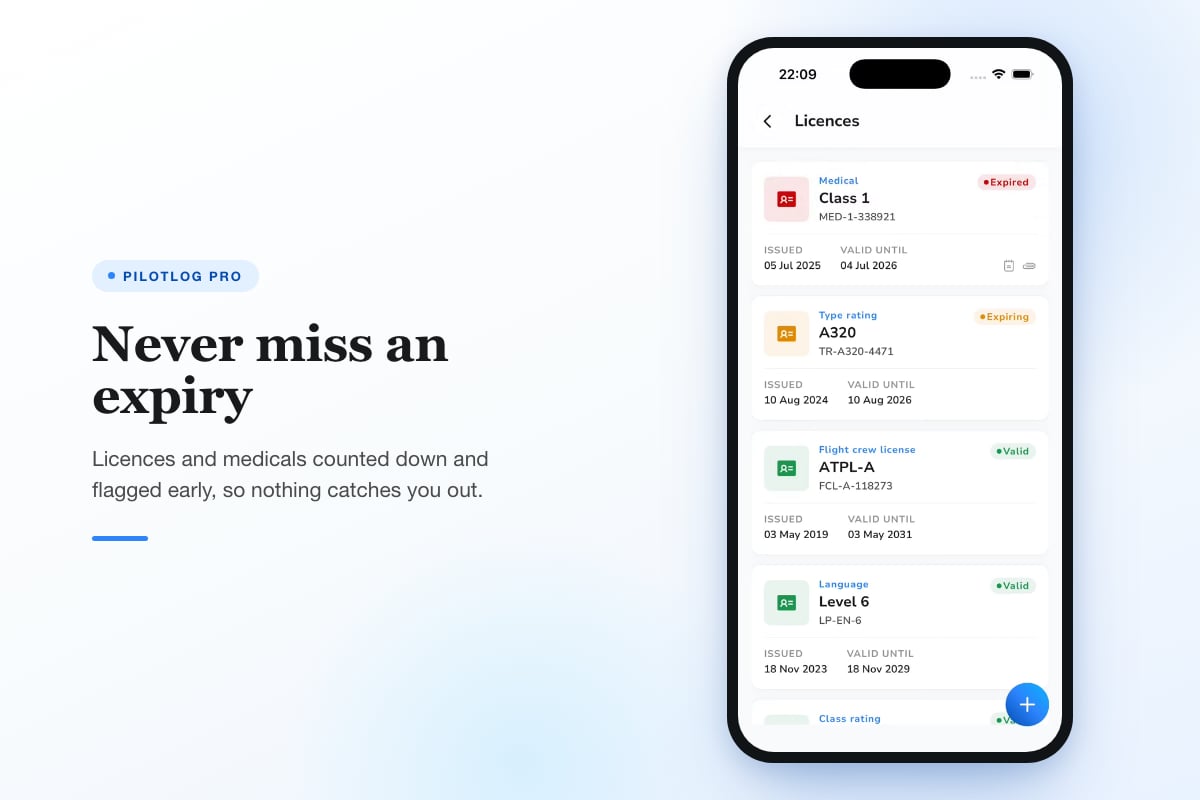
Digital entries are searchable, exportable, and backed up automatically. If you need to prove your total retractable gear time for an insurance application, a digital system can filter and sum those hours in seconds. Paper logbooks require manual page-by-page review.
Regulatory Considerations
The FAA does not require any specific logbook format. Whether you use an electronic pilot logbook or a traditional paper book, you must be able to produce your records for inspection. Digital systems must include reliable backups. Most pilots who transition to digital keep their paper logbooks as historical records and start new entries in the digital system going forward.
Ensure your digital logbook can export to a standard format. PDF export, CSV files, or printed reports satisfy regulatory review requirements.
Currency Tracking in Your Logbook
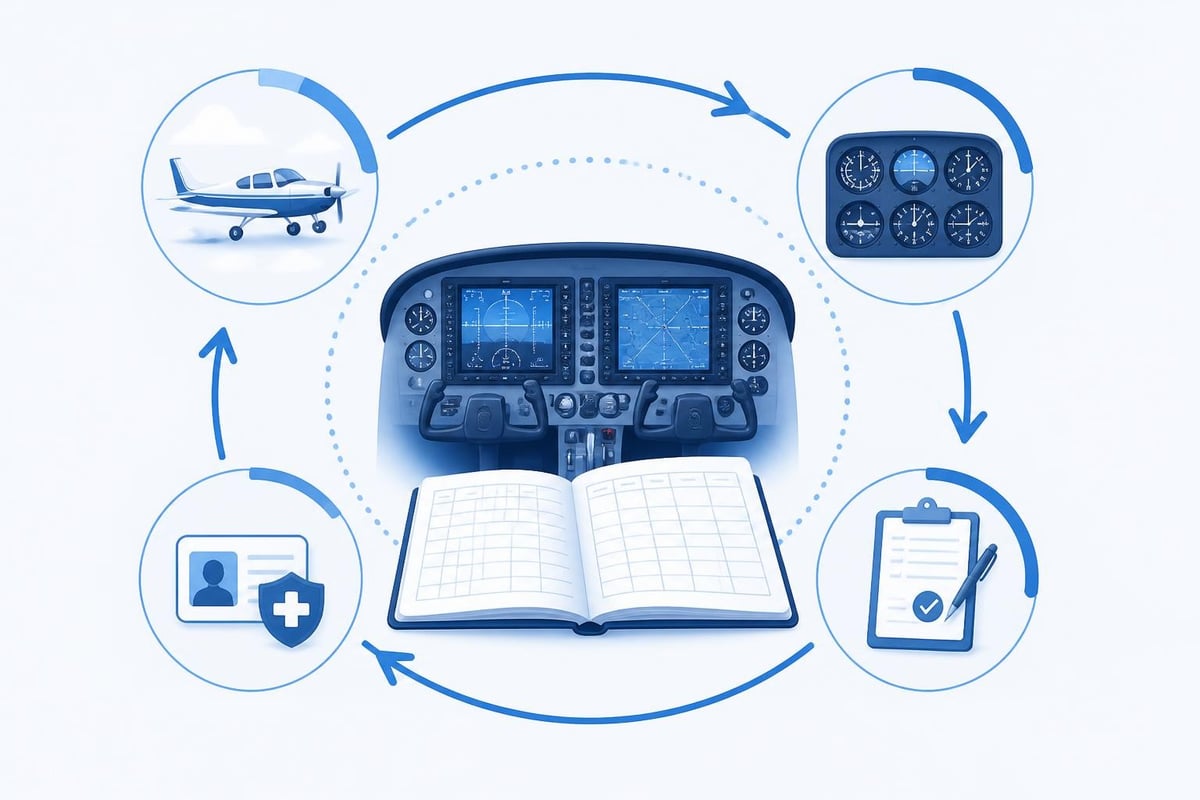
Your logbook proves you meet recency requirements for carrying passengers, flying IFR, or serving as PIC. Understanding how to fill out pilot logbook entries to track currency prevents embarrassing or dangerous lapses.
Passenger Currency
To carry passengers, you must have made three takeoffs and landings within the preceding 90 days in an aircraft of the same category, class, and type if a type rating is required. For night currency, those landings must be full-stop landings to a full stop between one hour after sunset and one hour before sunrise.
Many pilots maintain a running count of their last three landings with dates. When you look at your logbook, you should be able to immediately see whether you are current. Digital systems calculate this automatically and warn you before currency lapses.
Instrument Currency
Under 61.57(c), you must log six instrument approaches, holding procedures, and intercepting and tracking courses within the preceding six calendar months to act as PIC under IFR. If currency lapses, you have another six months to regain it with a safety pilot before requiring an instrument proficiency check.
Track each approach in detail. Your logbook should show the date, approach type, and actual or simulated conditions. This documentation proves currency without requiring an inspector to interpret vague entries.
Flight Review Tracking
A flight review under 61.56 is required every 24 calendar months unless you complete a checkride or certain other proficiency requirements. Log the date, the CFI's signature, and the regulation. Mark it clearly so you can find it years later when verifying compliance.
Many pilots also note checkride dates and certificate or rating additions, as these can reset the flight review clock. Clear documentation prevents questions during later reviews.
Worked Example: Logging a Cross-Country IFR Flight
Here's a complete logbook entry example that demonstrates correct technique:
Date: 7 Aug 2026
Aircraft: C172S N54321
Route: KBOS - KALB - KBOS
Time: Depart 09:15, Arrive 13:45, Total 4.5
PIC: 4.5
Instrument (Actual): 1.2
Cross-Country: 4.5
Day Landings: 2
Approaches: KALB ILS 1 (A), KBOS RNAV 27 (A)
Remarks: IFR flight plan, 1.2 actual IMC, filed /G
This entry contains everything an examiner or employer needs: clear route proving cross-country distance, specific instrument time with actual conditions noted, approach details with runway and type, and remarks clarifying the flight conditions. The total time of 4.5 matches the PIC and cross-country time because you were sole manipulator and the flight met Part 61 cross-country requirements.
If a CFI had been aboard providing instruction, you would log dual received time instead of PIC time and obtain the instructor's signature. If you had flown with a safety pilot under the hood for part of the flight, you would split actual and simulated instrument time and note the safety pilot's name.
Maintaining Professional Standards
Your logbook reflects your professionalism. Keep it current, accurate, and complete. Log flights promptly while details are fresh. Waiting weeks to fill out entries increases errors and makes it harder to recall specifics like approach types or night landing times.
Use consistent abbreviations and formatting. If you abbreviate "instrument" as "INST" in one entry, use the same abbreviation throughout. Consistency makes your logbook easier to read and totals easier to verify.
Review your logbook periodically with the Pilotlog currency cheat sheet or similar resources to ensure you haven't missed any requirements. An annual audit using the expiry checkride audit catches errors before they become problems.
Regulations change, and interpretations evolve. Always confirm current requirements against official FAA sources or your local aviation authority. What you learned as a student pilot may not reflect the latest guidance, and relying on outdated information creates compliance gaps.
Recording Simulator and Ground Training Time
Aviation training devices and flight simulators count toward certain hour requirements when used with an authorized instructor. Log these sessions separately from flight time and note the device type.
For advanced simulators approved for type ratings or instrument training, record the device identifier and the tasks practiced. "AATD, 2.3 hours, instrument approaches and holds, CFI signature" provides clear documentation. This time may count toward instrument currency or certificate requirements depending on the device's approval level and the tasks performed.
Ground training time applies to knowledge areas required for certificates and ratings. Log the topics covered and obtain the instructor's signature. This documentation supports your application and proves you completed required training.
Logbook Security and Backups
Protect your logbook from loss, theft, or damage. For paper logbooks, make copies after each flight or at least monthly. Store originals and copies in separate locations.
Digital logbooks should automatically back up to cloud storage. Verify that backups are occurring and test restoration occasionally. A logbook that exists only on a single device is vulnerable to hardware failure or loss.
Consider keeping a summary document with key totals updated quarterly: total time, PIC time, multi-engine time, turbine time, and any other categories important for your career. If your logbook is ever lost, this summary helps reconstruct your experience and provides immediate proof of hours for job applications or insurance.
Transitioning from Paper to Digital
Many pilots switch to a digital system after accumulating substantial hours in paper logbooks. The transition requires careful data entry to ensure accuracy.
Enter historical flights systematically, starting with your first entry and working forward. Verify totals at the end of each logbook before moving to the next. This catches transcription errors early when they are easier to fix.
Some pilots enter only summary totals from paper logbooks and begin detailed digital logging going forward. This hybrid approach saves time while providing the benefits of digital tracking for current flights. Either method works as long as you can produce complete records when required.
Keep your paper logbooks even after transitioning. They remain the original legal record of those flights and provide backup if questions arise about historical entries.
Understanding how to fill out pilot logbook entries correctly keeps you legal, supports your career progression, and demonstrates professionalism every time someone reviews your records. Accurate logging, consistent formatting, and careful attention to currency requirements build a logbook that serves you well throughout your flying career. Pilotlog automates the tracking and calculation work, monitoring your currency and expiries while you focus on flying. Log a flight in seconds and let the system handle rolling limits, passenger and instrument currency, and licence alerts so nothing catches you by surprise.
- how to fill out pilot logbook
- faa logbook requirements
- 14 cfr 61.51
- logging pic time
- instrument currency
A logbook that keeps itself.
Join the waitlist and be first in line when Pilotlog launches.
Free to join, no spam. Unsubscribe any time.