logbook requirements
Log Book Pilot: Requirements, Rules & Best Practices
16 Jul 2026 · 12 min read

A log book pilot record is both a legal requirement and a professional record of your flying career. Every pilot must maintain an accurate logbook that documents flight time, aircraft type, conditions of flight, and relevant endorsements to demonstrate currency and meet regulatory standards. The detail you record today determines your compliance tomorrow and shapes opportunities across your career.
What Every Log Book Pilot Must Record
Regulators mandate specific entries in every pilot logbook. The FAA sets out requirements in 14 CFR § 61.51, while EASA follows Part-FCL and the UK CAA maintains similar standards. Each flight entry needs a clear record of essential information.
Mandatory Logbook Entries
Your logbook must capture these core details for every flight:
- Date of flight (day, month, year)
- Aircraft type and registration (exact model and tail number)
- Departure and arrival points (ICAO codes or full airport names)
- Total flight time (block to block or Hobbs time)
- PIC or dual time (whether you acted as pilot in command)
- Conditions (day, night, IMC, VMC)
- Landings (day and night, separated)
- Instructor signature (when required for training or endorsements)
Beyond these basics, professional pilots track additional categories. Cross-country time, instrument approaches, specific aircraft types, and multi-engine hours all matter when you apply for ratings or airline positions. A log book pilot record that lacks these details creates gaps you cannot easily fill years later.

Legal Requirements for Flight Record Keeping
Logbook requirements exist to ensure pilots can prove currency and qualification. When an examiner or authority inspector asks to see your records, incomplete or missing entries create serious problems. The FAA can suspend certificates for falsified records, and missing data may invalidate insurance claims after incidents.
Under FAA rules, you must be able to show:
- Total flight time in all categories
- Time in type for each aircraft rating
- Recent experience for passenger carrying (90 days, 3 takeoffs and landings)
- Instrument currency (6 approaches, holding, tracking in 6 months)
- Flight review completion (every 24 months)
EASA pilots follow Part-FCL requirements:
- Recent experience under FCL.060: 3 takeoffs, 3 landings in 90 days for SEP/TMG
- Instrument recency per FCL.625: varies by rating type
- Medical certificate validity tracked against class and age
- Licence revalidation dates for each rating held
Each regulation specifies exactly what counts. For night currency, you need night takeoffs and landings to full stop. For instrument approaches, you need the correct mix of approach types. A log book pilot who approximates or estimates these figures risks failing a check or being grounded when currency lapses.
| Requirement | FAA Standard | EASA Standard | Typical Lapse Alert |
|---|---|---|---|
| Passenger Currency | 3 TO/LDG in 90 days | 3 TO/LDG in 90 days (FCL.060) | 14 days before |
| Instrument Currency | 6 approaches, holding, tracking in 6 months | Varies by rating | 30 days before |
| Flight Review / Revalidation | 24 months | 12 or 24 months depending on licence | 60 days before |
| Medical Certificate | Class dependent | Class 1: 12 months (under 40) | 30 days before |
Rules change periodically. Always confirm current requirements against official sources such as the FAA or your national authority before relying on any summary.
How to Maintain a Paper Log Book Pilot Record
Traditional paper logbooks remain legally valid and many pilots prefer the tangible record. Choosing the right format and filling it correctly saves confusion later.
Selecting Your Logbook Format
Standard pilot logbooks come in several layouts. ASA, Jeppesen, and other manufacturers offer books with columns for the data you need. Look for enough columns to separate PIC, dual, solo, cross-country, night, instrument, and simulator time. If you fly both aeroplanes and helicopters, choose a book that accommodates multiple aircraft categories.
Student pilots often start with a basic logbook and upgrade to a professional format when they earn their licence. This creates a permanent record split across multiple books. Number each logbook sequentially and carry forward totals accurately when you start a new volume.
Recording Entries Accurately
Write every entry in permanent ink. Use airport identifiers rather than city names (EGLL, not "London"). Record exact times to the nearest tenth of an hour or minute depending on your authority's standard. When you log instrument time, note whether it was actual IMC or simulated under the hood.
Common mistakes include:
- Retroactive entries without supporting evidence
- Rounding flight times incorrectly
- Claiming cross-country time for flights that don't meet the distance requirement (FAA: 50nm straight line; EASA definitions vary by licence type)
- Missing instructor signatures on dual instruction flights
- Failing to total columns at regular intervals
A log book pilot who discovers an error should draw a single line through the incorrect entry, write the correction nearby, and initial it. Never use correction fluid or erase entries. Examiners and auditors view altered records with suspicion.
Digital Logbook Solutions in 2026
Paper logbooks carry risk. They burn, get lost, suffer water damage, and become illegible over decades. Digital logbook software solves these problems while adding automatic currency tracking and backup capabilities.
Benefits of Going Digital
Digital systems calculate your currency in real time. After you log a flight, the software checks your 90-day passenger currency, 28-day flight time limits, and upcoming expiries automatically. You see exactly when your instrument currency lapses and how many approaches you need to restore it.
Key advantages include:
- Automatic currency calculations (passenger, night, IFR)
- Cloud backup protecting against data loss
- Export to spreadsheet or PDF for interviews and applications
- Flight time summaries by aircraft type, category, and class
- Searchable history (find all flights to a specific airport in seconds)
Modern apps sync across devices. Log a flight on your phone immediately after landing, then review career totals on a tablet at home. The same data appears everywhere without manual re-entry.

Migrating from Paper to Digital
Moving years of paper records into digital format takes time but preserves your history. The best approach involves photographing every page, then entering data methodically.
Start with recent flights where currency matters most. Work backwards through your logbooks in chronological order. Verify totals as you go by comparing your running totals to the book's summary pages. If you find discrepancies, investigate before continuing.
Many pilots maintain both systems during transition. Log new flights digitally while keeping paper records current. After six months to a year, the digital record becomes complete enough to serve as your primary reference.
Currency Tracking and Compliance
A log book pilot needs more than a list of flights. You need clear visibility into what you can legally do today and what lapses soon. Currency requirements determine when you can carry passengers, fly IFR, or operate specific aircraft types.
Understanding Rolling Currency Windows
Passenger currency uses a rolling 90-day window. On July 16, 2026, your currency depends on flights between April 17 and July 15. If you made 3 landings on April 20, those landings drop off on July 19. Many pilots misjudge this and assume they remain current when they're actually one day expired.
Calculating these windows manually creates errors. You need to check the date 90 days ago, count qualifying events, then project forward to see when the next event drops off. For night currency, repeat the process with night landings only.
Digital tools eliminate this calculation burden. Every time you log a flight, the system recalculates all currency types and flags upcoming lapses. Some platforms send alerts 14 days before currency expires, giving you time to schedule a flight.
Tracking Licence and Medical Expiries
Your medical certificate and licence ratings have fixed expiry dates, not rolling windows. A Class 1 medical issued to a 35-year-old pilot expires exactly 12 months later. A UK ATPL has revalidation requirements tied to specific dates.
Tracking these expiries requires:
- Recording the exact issue date
- Calculating the expiry date per regulation
- Setting calendar reminders well in advance
- Scheduling renewal appointments before the deadline
Commercial pilots juggle multiple expiry dates. Your medical, licence revalidation, instrument rating, type rating, and dangerous goods certificate all have different validity periods. Miss one and you're grounded until you renew it, which may require retesting or recurrency training.
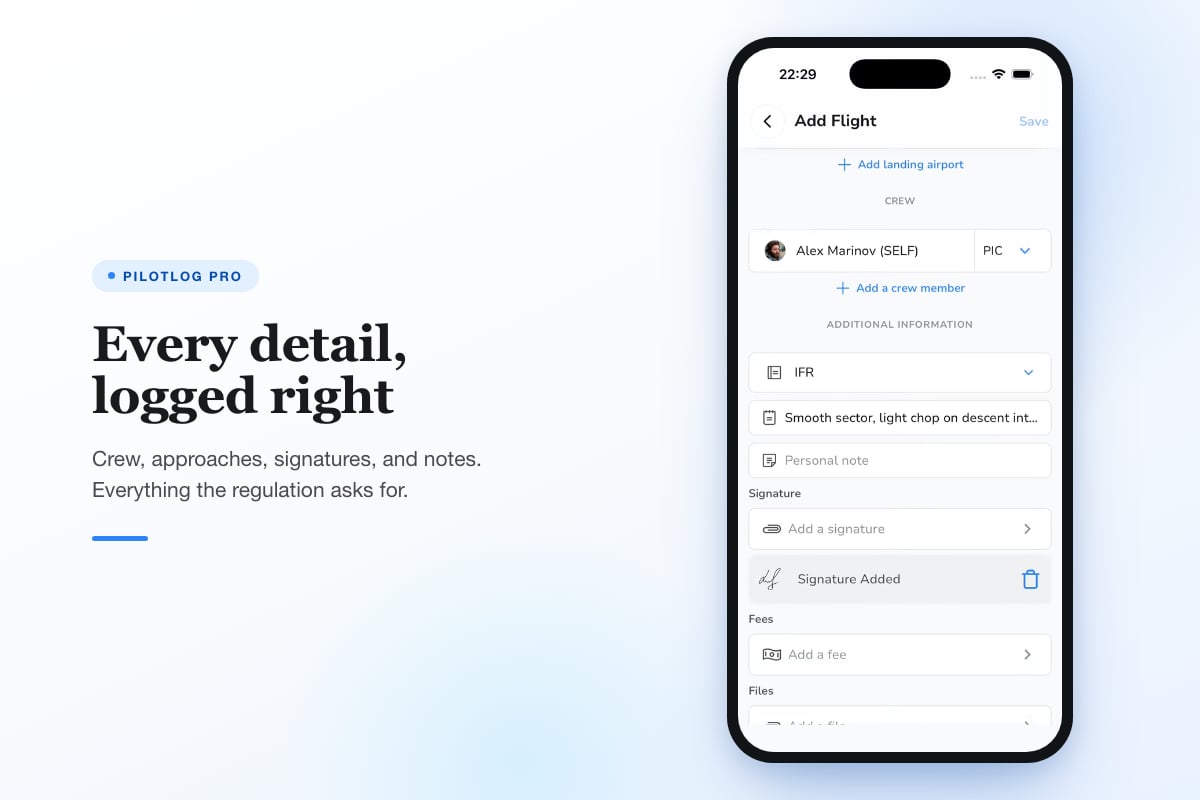
Pilotlog Pro tracks all these dates automatically. Enter your medical issue date and class, and the system calculates expiry, then sends alerts 30 and 14 days before. The same applies to licences, ratings, and recurrent training requirements. You spend less time tracking dates and more time flying.
Professional Log Book Pilot Practices
Airlines and commercial operators scrutinise logbooks during hiring. Sloppy records suggest sloppy flying. Professional presentation and accurate totals matter as much as the hours themselves.
Organizing for Career Progression
Structure your logbook to highlight experience employers want. Track PIC time separately from dual. Break down multi-engine time by aircraft type. Record turbine time distinctly from piston time. When you apply for a jet position with 1,500 total hours including 200 turbine, the hiring team needs to find those 200 hours instantly.
Create summary pages at regular intervals. After every 100 hours, total each column and verify the figures. When you reach major milestones (250, 500, 1000, 1500 hours), prepare a detailed summary showing time by category, class, and conditions.
Essential summaries to maintain:
- Total time (all aircraft)
- Time by category (aeroplane, helicopter, etc.)
- Time by class (single-engine, multi-engine)
- PIC time vs dual vs SIC
- Cross-country time (meeting specific definitions)
- Night time and night landings
- Actual and simulated instrument time
- Turbine time
- Time in type for each aircraft you've flown
Documenting Non-Standard Flights
Some flights need extra documentation. Ferry flights, test flights after maintenance, checkouts in new types, and unusual operations all deserve notes in the remarks column. Record the purpose, any abnormal conditions, and relevant details that provide context.
For example, if you complete a flight review, note "Flight Review per 14 CFR § 61.56" with the instructor's details. If you perform a solo flight as a student, ensure the instructor endorsement appears. When you log approaches, list the approach types (ILS, RNAV, VOR) and runway.
Common Log Book Pilot Errors and How to Avoid Them
Mistakes accumulate over time. Catching them early prevents bigger problems during checkrides or airline interviews.
Calculation Errors in Running Totals
Every time you add a flight, you update running totals. Adding 1.5 hours to a total of 247.8 should give 249.3. Simple arithmetic errors creep in when you're tired or rushing. Some pilots reach 1,000 hours only to discover they're actually at 987.6 after a full audit.
Prevent this by:
- Using a calculator for every addition
- Verifying totals against previous entries
- Recalculating from subtotals every 10-20 flights
- Having another pilot spot-check your maths occasionally
Digital logbooks eliminate calculation errors entirely. The software adds flight times automatically and guarantees accurate totals.
Misunderstanding Cross-Country Definitions
The FAA and EASA define cross-country time differently depending on what certificate or rating you're pursuing. For a private licence, the FAA requires flights with a landing more than 50 nautical miles from the departure point. For instrument and commercial certificates, additional requirements apply.
FAA regulations specify these nuances, and logging flights incorrectly can mean you lack qualifying time when you apply for a rating. A log book pilot who assumes all cross-country flights count equally may discover 50 hours of logged time doesn't meet the specific definition needed.
Read the regulation text for each certificate. When in doubt, note which definition applies in the remarks. This protects you if an examiner questions your totals.
Inadequate Endorsement Records
Instructors must sign specific endorsements for solo flights, checkrides, high-performance aircraft, and complex aircraft among others. These signatures prove you received the required training and authorization. Without them, your logged time in those categories may not count.
Keep a separate page or section for endorsements. Each endorsement needs the date, regulation reference, aircraft type if applicable, and the instructor's certificate number and signature. Photocopy or photograph endorsement pages to protect against loss.
<image_prompt alt="Logbook endorsement requirements">The relationship between flight training stages, required instructor endorsements, regulation references, and the permanent record needed in pilot logbooks</image_presentation>
Building a Complete Record from Day One
Student pilots establish habits that last their entire career. Start with disciplined record keeping and you'll never face a crisis of missing data.
First Flights and Early Training
Your very first lesson counts towards total flight time and dual instruction received. Log it properly even though you barely touched the controls. Record the aircraft type, registration, departure and arrival airport (even if they're the same), and exact flight time. The instructor should sign the entry.
As you progress, log every flight including those where you feel you made no progress. A lesson spent entirely on stalls in the local area still counts as flight time and contributes to experience. The date you logged those 10 stalls may matter later when you need to show recent stall training.
Building Hours Towards Ratings
Every rating has minimum hour requirements. ATP certificates require 1,500 hours under FAA rules, with specific breakdowns for night, cross-country, and instrument time. EASA ATPL requires 1,500 hours with detailed subcategories including 500 hours multi-crew operations for many pathways.
Track your progress towards these thresholds actively. Know exactly how many cross-country hours you have towards the 500-hour requirement. Understand how many instrument approaches you've logged and which types. When you reach 1,200 hours, you can plan the remaining 300 to ensure you meet all subcategory minimums by 1,500.
The Role of Logbooks in Incident Investigation
If you're involved in an incident or accident, your logbook becomes evidence. Investigators examine it to determine your total experience, recency in type, and whether you met currency requirements. Incomplete or inaccurate records complicate the investigation and may expose you to enforcement action.
After any incident, secure your logbook and do not alter it. Investigators compare physical logbooks to digital records, flight school records, and aircraft journey logs. Discrepancies raise questions about the accuracy of all your records.
Maintain consistency across all documentation. Your logged hours should match aircraft journey log entries for flights where you were PIC. Rental aircraft records provide an independent check on your flight times. Major discrepancies suggest problems with your record keeping or worse, deliberate falsification.
Accurate, complete logbook records form the foundation of your flying career and legal compliance. Whether you maintain paper books or use digital solutions, the discipline of logging every flight correctly protects your certificate and enables career progression. Pilotlog streamlines this process by logging flights in seconds, tracking currency automatically, and alerting you to expiries before they catch you by surprise. Start building bulletproof records today.
- logbook requirements
- pilot logbook
- faa 61.51
- flight time recording
- digital logbook
A logbook that keeps itself.
Join the waitlist and be first in line when Pilotlog launches.
Free to join, no spam. Unsubscribe any time.