flight logbook
Flight Logbook: Requirements, Rules & Best Practices
13 Jul 2026 · 12 min read
A flight logbook is your official record of flight time, training, and experience as a pilot. It documents every flight you command or log as a required crew member, tracks your currency for passengers and instrument approaches, and serves as evidence of qualifications when you apply for ratings, jobs, or insurance. Under both FAA and EASA regulations, you must maintain an accurate logbook, and in most jurisdictions, you must present it on request to the relevant authority.
Why Every Pilot Needs a Flight Logbook
Your flight logbook is more than a diary. It is a legal document that proves you meet minimum experience requirements for licences, ratings, and currency. Without it, you cannot demonstrate you hold the privileges you claim.
Regulatory authorities require pilots to keep flight records. The FAA mandates this under 14 CFR § 61.51, which specifies what information you must log and how you must document training flights, endorsements, and proficiency checks. EASA Part-FCL similarly requires pilots to maintain a logbook for all flight time that counts toward licence applications, rating renewals, and recency checks.
Primary Functions of a Flight Logbook
- Proof of total flight time for licence applications (ATPL, CPL, PPL)
- Currency tracking for passenger carrying, night flying, and IFR operations
- Medical and licence expiry alerts so nothing lapses unexpectedly
- Endorsements and training records that confirm completed ground school, check rides, and type ratings
- Career documentation for airline and charter applications where recruiters verify hours by category and aircraft type
Most hiring managers and chief pilots will check your logbook early in the interview process. A well-maintained logbook signals professionalism and attention to detail. A messy or incomplete one raises questions about your flying standards.
What Must Be Recorded in a Flight Logbook
Both the FAA and EASA set out minimum content for logbook entries. You must record enough detail to reconstruct the flight and prove it counts toward experience or currency requirements.
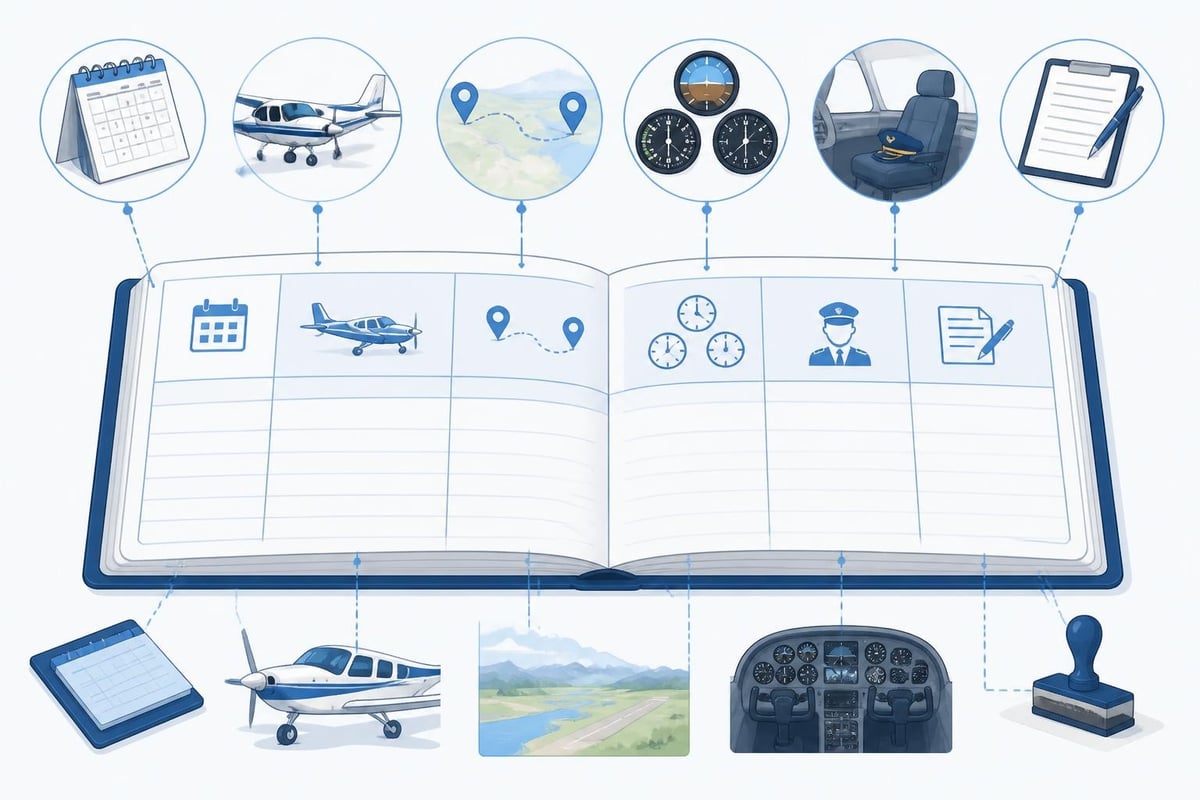
Required Information (FAA 14 CFR § 61.51)
According to FAA logbook requirements, each entry must include:
- Date of flight
- Aircraft make, model, and registration
- Departure and arrival points (or for training, the location)
- Type of pilot experience or training (solo, PIC, dual, SIC)
- Conditions of flight (day, night, actual instrument, simulated instrument, VFR, IFR)
- Landings (day, night, full-stop for tailwheel currency)
- Flight time broken down by category (aeroplane, helicopter, glider) and class (single-engine land, multi-engine land)
- Instructor name, certificate number, and signature for dual instruction
- Endorsements for solo, knowledge tests, and practical tests
EASA Part-FCL requires similar detail, with additional emphasis on PIC and cross-country time definitions.
Additional Entries to Consider
- Approaches by type (ILS, RNAV, VOR, NDB) to track instrument currency
- Holds and unusual attitudes if training for an instrument rating
- Aircraft type in enough detail for type rating tracking (e.g., Boeing 737-800, Airbus A320-200)
- Role on multi-crew flights (captain, first officer, cruise relief)
- Remarks for diversion reasons, training manoeuvres, or significant weather
| Entry Type | Why It Matters | Example |
|---|---|---|
| Night landings | FCL.060 requires 3 in 90 days to carry passengers at night | "2 circuits, 3 full-stop night landings" |
| Instrument approaches | 6 approaches in 6 months for IFR currency (varies by authority) | "ILS 27, RNAV 09, hold at WILLO" |
| Total PIC time | ATPL requires 1,500 hours (FAA) or 1,000 hours (EASA Part-FCL) | "127.3 PIC this flight, 892.1 total" |
| Cross-country distance | FAA counts flights >50 nm; EASA uses different definitions | "EGKK to EGJJ, 140 nm" |
Accurate entries protect you during ramp checks, licence applications, and insurance audits.
Paper vs Digital Flight Logbooks
Traditionally, pilots used printed paper logbooks with columnar pages. Many still do. Paper has advantages: no batteries, no software bugs, and a tactile sense of progress as you fill each page. But paper also has serious drawbacks.
Limitations of Paper Logbooks
- Manual totals that you recalculate every page, introducing arithmetic errors
- No automatic currency tracking so you must count back 28, 90, or 365 days by hand
- No alerts for expiring medicals or licence renewals
- Difficult to search when a recruiter asks for PIC time on Airbus types or night cross-country hours
- Fragile and single-point-of-failure (coffee spill, lost bag, house fire)
Benefits of Digital Logbooks
A digital flight logbook solves these problems. You log a flight in seconds, and the software tracks rolling totals, currency windows, and upcoming expiries. You can filter by aircraft type, export a CSV for airline applications, and back up to the cloud.
Pilotlog Pro is built for exactly this. You enter date, aircraft, route, and times; Pilotlog calculates your 28-day and 365-day totals automatically, flags when passenger or IFR currency is about to lapse, and sends alerts for medical and licence expiries. It works on iOS and Android, so your logbook is always in your pocket. Career stats and trends show your progression from student to commercial pilot, and full logbook export means you can print a compliant hard copy whenever required.
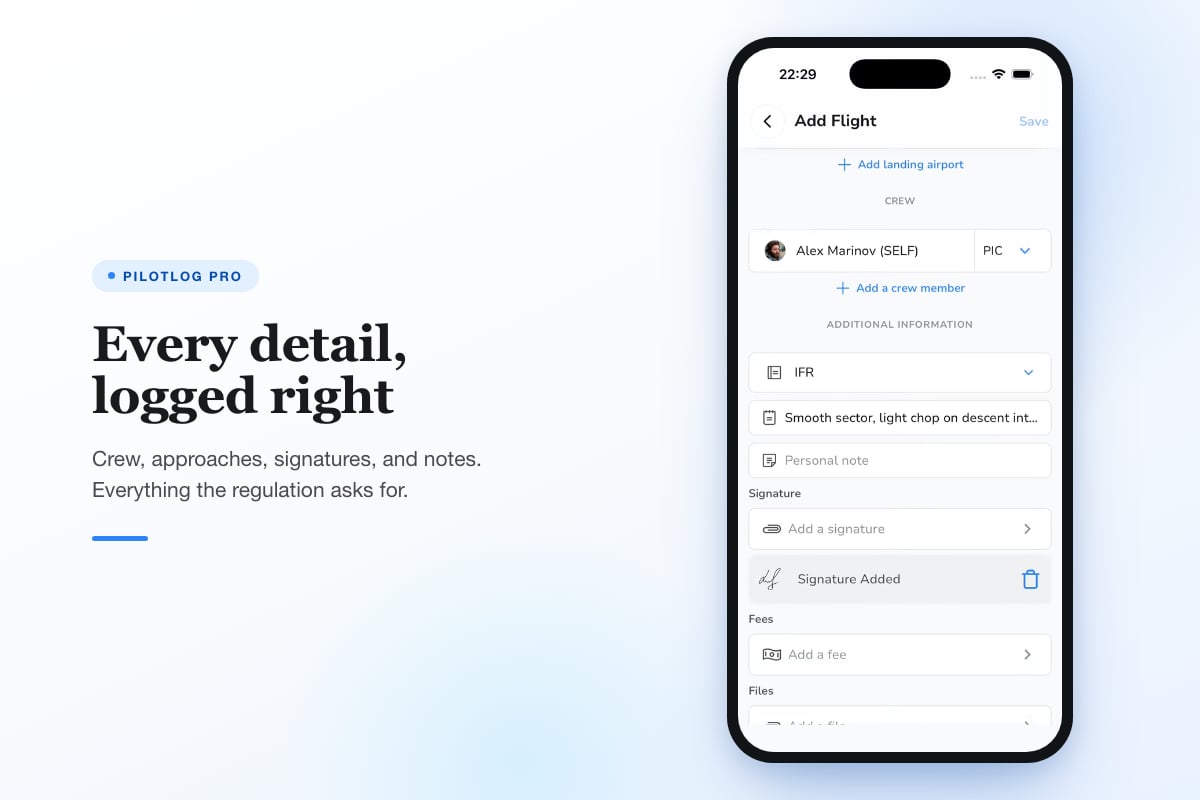
Many airlines and flight schools now accept digital logbooks, provided you can export a PDF or printed version for interview. Check with your authority or employer before making the switch.
How to Maintain an Accurate and Professional Flight Logbook
Accuracy is non-negotiable. Errors can cost you a job offer or invalidate a licence application. Follow these best practices to keep your logbook audit-ready.
Log Flights Immediately
Do not wait until the end of the month. Memory fades, and you will forget whether you did two or three touch-and-goes. Professional recruiters advise logging each flight the same day, ideally right after shutdown.
If you fly multiple sectors in one duty period, log each leg separately. Airlines and insurers care about total sectors and individual route experience.
Use Consistent Formatting
- Dates in DD/MM/YYYY or MM/DD/YYYY format (pick one and stick to it)
- Times in decimal hours (1.3, not 1:18) or hours and minutes (1:18), again consistently
- Airports as ICAO codes (EGLL) or IATA codes (LHR), but be consistent
- Aircraft registrations exactly as shown on the certificate of registration (G-ABCD, N12345)
Inconsistent formatting looks unprofessional and makes electronic imports fail.
Cross-Check Totals Regularly
Every 10 flights or monthly (whichever is sooner), verify your running totals. Add up the previous page and check it matches the carried-forward total. Small errors compound quickly.
For digital logbooks, export a report and compare totals across aircraft categories. If something looks wrong, investigate immediately.
Back Up Your Logbook
Paper: Photocopy every 50 hours and store copies in two locations. Or scan pages and save to cloud storage.
Digital: Enable automatic cloud backup. Export a PDF or CSV monthly and email it to yourself. If the app company folds or your phone dies, you still have your records.
The FAA does not specify a backup requirement, but common sense and industry best practices demand it.
Common Flight Logbook Mistakes and How to Avoid Them
Even experienced pilots make logbook errors. Here are the most frequent issues and how to fix them.
Rounding Errors
Rounding 0.7 hours to 1.0 or 1.2 to 1.0 can inflate or deflate your totals by dozens of hours over a career. Always log to the nearest 0.1 hour (6 minutes). If using decimal format, calculate block-to-block time accurately using Zulu times.
Forgetting to Log Dual Received
If an instructor is on board and you are training, that time is dual received, not PIC (unless you are rated and current in the aircraft and acting as PIC under supervision). Many low-hour pilots incorrectly log dual time as PIC, which creates problems when applying for commercial licences.
Not Recording Endorsements
An endorsement without a signature and certificate number is incomplete. If you pass a check ride or complete a solo flight, your instructor must sign and date the entry. Missing endorsements can delay licence renewals or fail an authority audit.
Logging Simulator Time Incorrectly
Simulator time counts toward certain ratings but not all hour requirements. Under FAA rules, you can log up to 25 hours of sim time toward a 250-hour commercial licence. EASA has different limits for FSTD credit. Always note the simulator type and approval level (FNPT, FTD, Level D FFS).
Inconsistent Aircraft Type Naming
Logging "Cessna 172" one day and "C172" the next makes filtering by type unreliable. Decide on "Cessna 172 Skyhawk" or "C172S" and use it every time.
Tracking Currency and Expiries in Your Flight Logbook
Staying current is as important as logging hours. Many regulations impose rolling time windows, and missing a deadline can ground you until you requalify.
Passenger Currency
EASA Part-FCL (FCL.060): To carry passengers, you need three take-offs and three landings in the preceding 90 days in the same class or type of aircraft. For night operations, those three landings must be at night.
FAA (14 CFR § 61.57): Same rule: three take-offs and three landings in the preceding 90 days. For tailwheel aircraft, the landings must be to a full stop. For night passenger carrying, three landings to a full stop between one hour after sunset and one hour before sunrise.
You must count back from today to 90 days ago and verify you have three landings. A digital flight logbook does this automatically.
Instrument Currency
FAA: Six instrument approaches, holding procedures, and intercepting and tracking courses in the preceding six months. You can use a sim or safety pilot.
EASA Part-FCL (Appendix 8): Similar requirement, with variations by member state. Some require an instrument proficiency check (IPC) if currency lapses.
Track approaches by type (precision, non-precision, RNAV) so you know which systems you are current on.
Medical and Licence Expiries
Class 1, Class 2, and Class 3 medicals expire on fixed dates. EASA licences have revalidation and renewal cycles for ratings (SEP, IR, type ratings). Missing a deadline means you cannot exercise your privileges until you renew.
A good digital logbook flags upcoming expiries 60, 30, and 14 days in advance. You can schedule the appointment and avoid last-minute scrambles.
Duty and Flight Time Limits
Commercial pilots face rolling 28-day and 365-day limits on flight time, duty hours, and sectors. Pilotlog tracks these automatically, so you know when you approach regulatory limits and can plan rest days accordingly.
Best Practices for Long-Term Logbook Maintenance
Over a 30-year career, you will accumulate thousands of flights. A disciplined approach from day one saves headaches later.
- Review monthly. Set a calendar reminder to check totals, currency, and expiries at the start of each month.
- Audit annually. Before your licence renewal, export a full report and verify category totals match your authority's records.
- Preserve instructor signatures. Scan or photograph endorsement pages. Ink fades and paper deteriorates.
- Document unusual events. If you divert for weather, declare an emergency, or perform an instrument approach in actual IMC, add a remark. It helps during proficiency reviews and interview questions.
- Separate professional and recreational flying. If you instruct or fly charter, note which flights are commercial ops. Some insurance policies exclude certain flying, and accurate records prove compliance.
Airlines and insurers may request logbook extracts going back years. If you have kept clean, consistent records, you can produce the data in minutes. If not, you face days of reconstruction.
Legal and Regulatory Considerations
Regulations vary by country and change over time. Always confirm current requirements with your national authority (FAA, EASA, UK CAA, CASA, Transport Canada).
FAA pilots: You must carry your logbook (or have it accessible) to show currency and endorsements. During a ramp check, an inspector may ask to see your last flight review, medical, and recent landings.
EASA pilots: Part-FCL specifies logbook format and content. The UK CAA provides guidance on logbook maintenance, emphasising legibility and compliance.
Record retention: The FAA does not specify how long you must keep logbooks, but most pilots retain them for life. EASA requires keeping records for five years after a licence lapses. In practice, keep everything: you never know when you will apply for a new rating or return to flying after a break.
Falsifying logbook entries is a criminal offence in most jurisdictions. It can result in licence suspension, fines, and jail time. If you make a mistake, draw a single line through the error, write "void" or "error," and initial it. Do not use correction fluid or tear out pages.
How to Fill in a Flight Logbook Correctly
If you are new to flying, the first few logbook entries can be confusing. This guide walks through each column step by step.
Sample Entry (Paper Logbook)
| Date | Aircraft Type | Registration | Departure | Arrival | PIC | Dual | Night | Day Landings | Remarks |
|---|---|---|---|---|---|---|---|---|---|
| 13/07/2026 | Cessna 172S | G-CDEF | EGKB | EGKB | 1.2 | 0.0 | 4 | Solo circuits, crosswind |
Sample Entry (Digital Logbook)
- Date: 13/07/2026
- Aircraft: Cessna 172S, G-CDEF
- Route: EGKB – EGKB
- Block Time: 1.2 hours
- Capacity: PIC
- Conditions: Day VFR
- Landings: 4 day, 0 night
- Remarks: Solo circuits, crosswind practice
Whether paper or digital, the goal is the same: enough detail to prove the flight happened, how long it lasted, and what credit it earns.
Integrating Flight Logbooks into Your Pilot Workflow
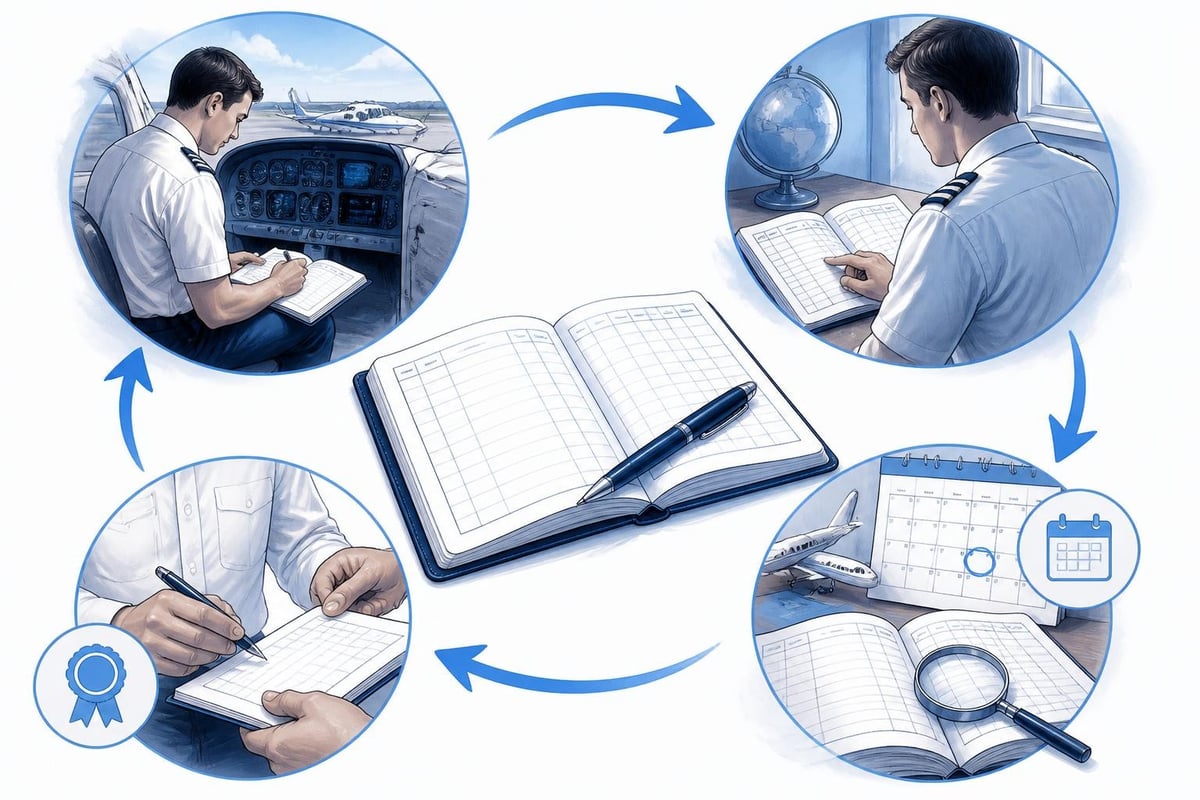
Your flight logbook should fit seamlessly into your daily routine. If logging is cumbersome, you will skip entries or make errors.
Before flight: Check currency. If you are approaching 90 days since your last three landings, plan touch-and-goes. If your medical expires in 14 days, ground yourself until renewed.
After flight: Log the sector immediately. Enter times, route, and any training items. If you flew an instrument approach, note the type and runway. If you carried passengers, confirm you are current.
Weekly: Scan recent entries for errors. Check running totals. Update any pending endorsements or instructor signatures.
Monthly: Review currency windows, duty limits, and upcoming expiries. Plan training flights or sim sessions to maintain IFR or night currency.
This rhythm takes five minutes a day and prevents surprises.
An accurate flight logbook is your professional passport. It proves your hours, tracks your currency, and documents every milestone from first solo to airline command. By logging flights immediately, maintaining consistent formatting, and tracking expiries proactively, you protect your career and stay ahead of regulatory deadlines. Pilotlog automates the tedious parts, calculates rolling totals and currency windows, and alerts you to upcoming renewals, so you can focus on flying instead of spreadsheets.
- flight logbook
- faa 61.51
- digital logbook
- pilot currency
- logbook requirements
A logbook that keeps itself.
Join the waitlist and be first in line when Pilotlog launches.
Free to join, no spam. Unsubscribe any time.